Ceramics Studio Interactive Kiosk
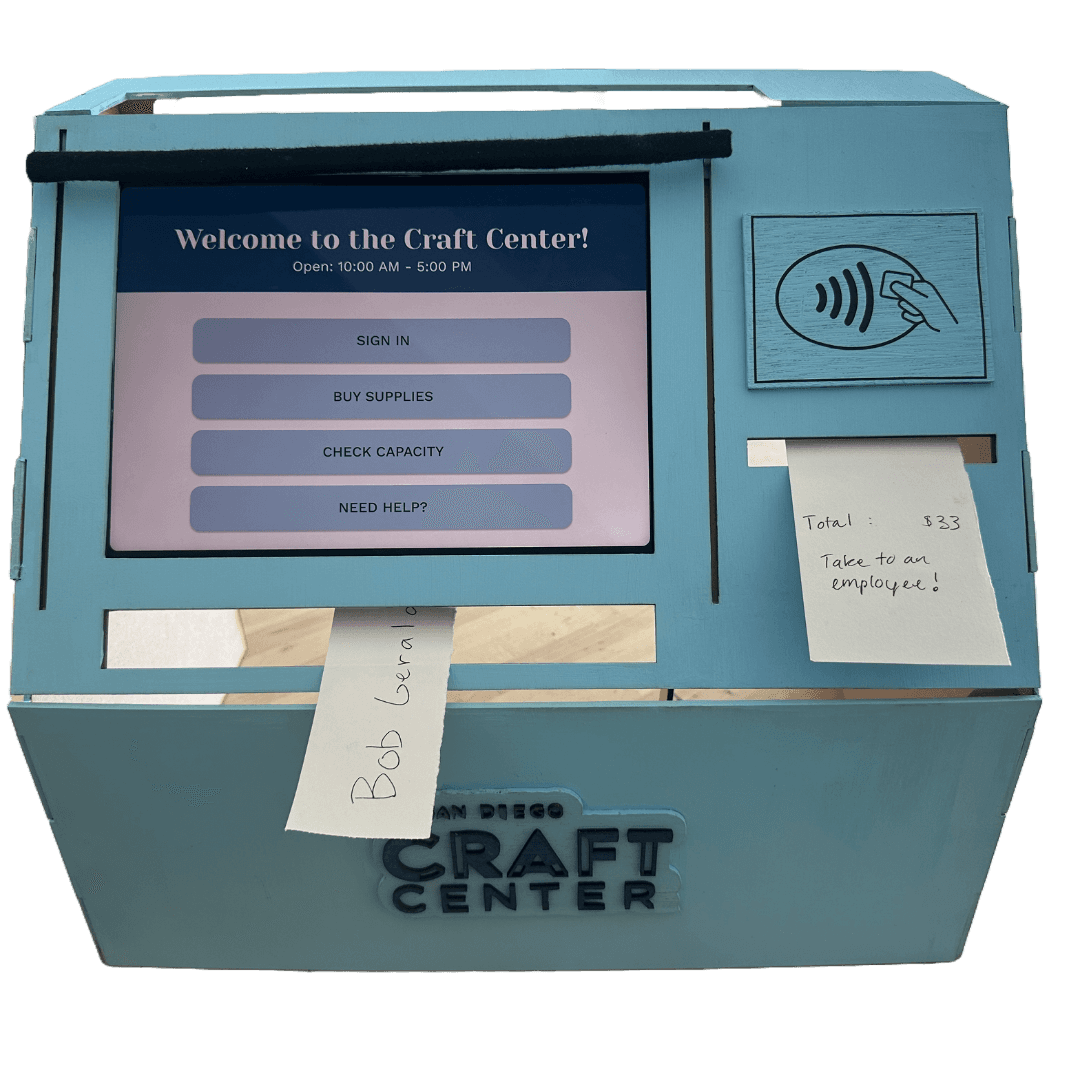
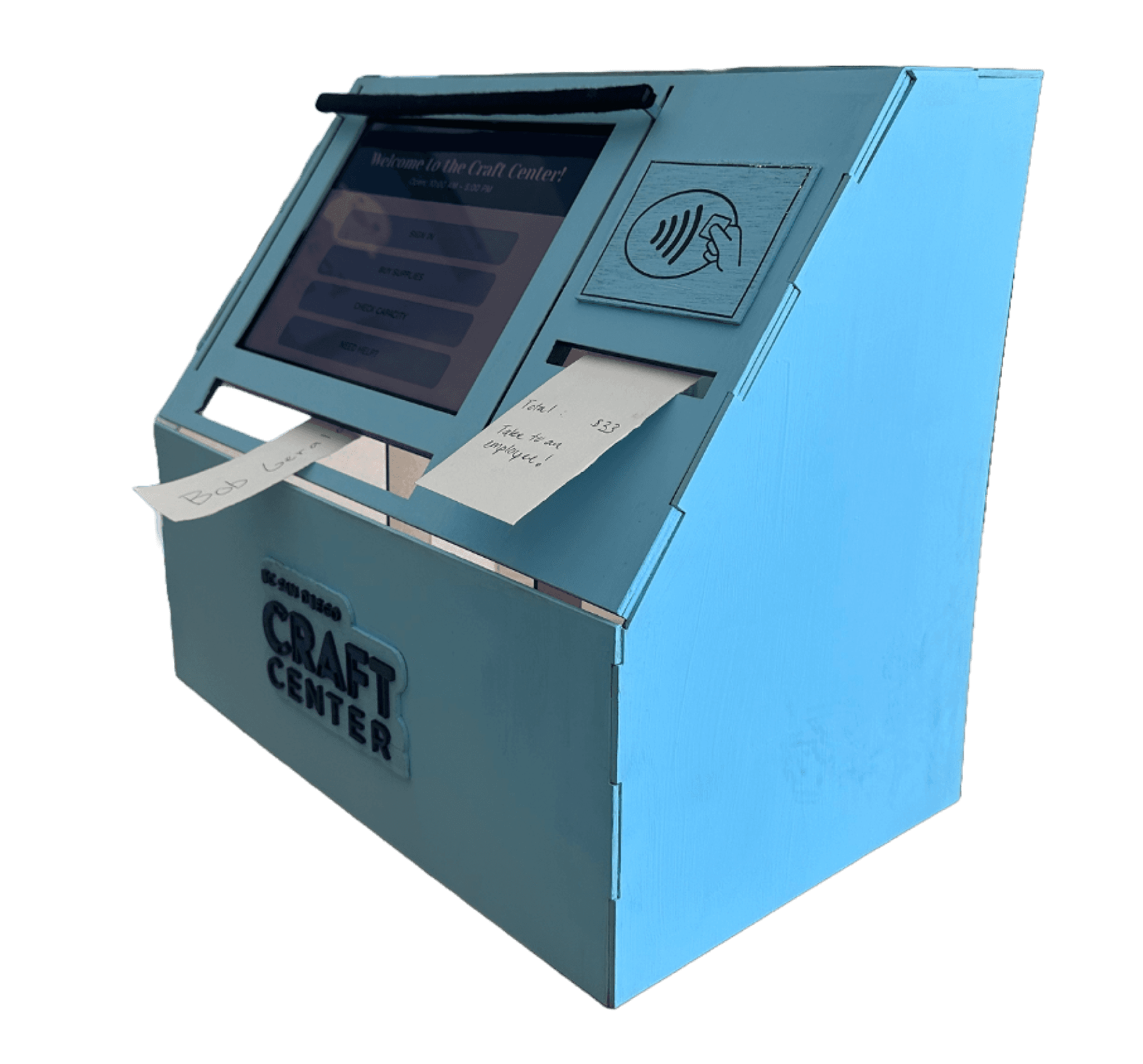
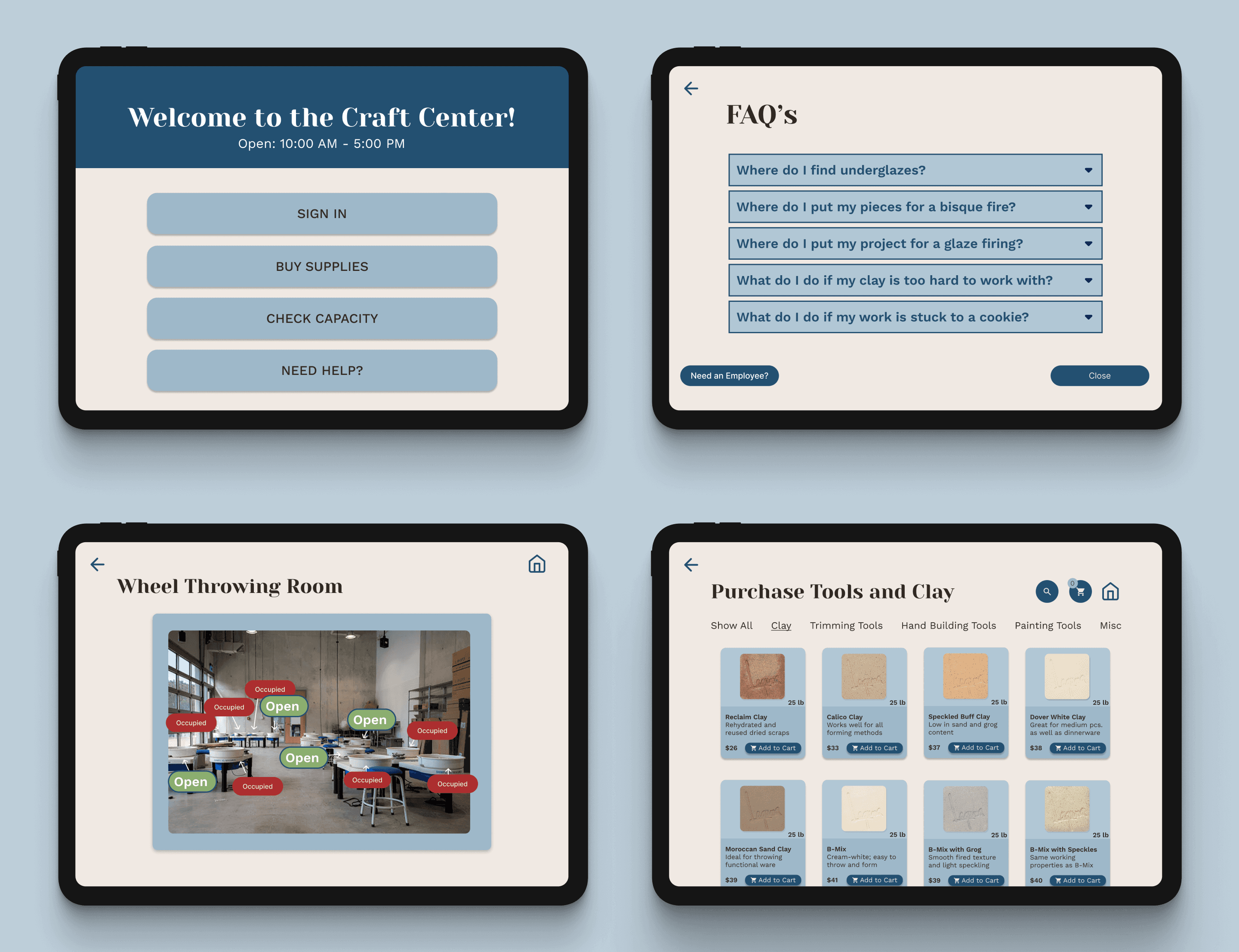
Combining both physical and digital design, this kiosk will aid ceramists to sign in, purchase tools and inform them of the capacity of the center, allowing the users to reserve a space.
Course
DSGN 100 - Prototyping
Duration
Feb - March 2025
Team
Ayah, Brandi, and Lorena (me)
Tools
Figma, Inkscape, Epilog Laser Cutter
Project Overview
At the Craft Center, ceramicists experience long wait times for check-in, materials, and assistance. My team built an interactive kiosk to streamline these processes and display the current activity level.
This kiosk helps ceramicists start projects faster and make the most of their time at the center.
My Role
UX/UI Designer
Tools
Figma
The Problem:
At the Craft Center, ceramicists experience long wait times for checking-in, purchasing materials, and grabbing the attention of a worker for assistance.
The goal is to streamline ceramicist’s check-in process, helping them get started on their projects faster.
By providing a kiosk that helps ceramicists check-in, buy tools and reserve spaces, it helps both the ceramicists and workers there. Ceramicists no longer need help from the worker and the workers can delegate this time to help others that do.
The Goal:
Design Process
With our limited time, my team spent 3 weeks on our initial user research and 3 weeks on creating the physical and digital components of our kiosk.
Within the first three weeks, my team performed field observations and did online research to first find the problem, asking ourselves: How can we streamline the process for ceramists at the Craft Center?
We formulated some ideas and went back to the craft center to get feedback from users through storyboard interviews.
Empathize
Ideate
Understand
Define
Prototype
User Research - Online and Fieldwork
Highlights 1
1
People often ask about cost of open studio, clay, and tools of employees
Highlights 2
2
Always at least one employee but they are not always at front desk
Highlights 3
3
Everyone must sign in and grab a name tag from the front desk.
Highlights 4
4
Lines occasionally form, especially at the beginning of classes
Within the first three weeks my team explored the question of:
Does the Craft Center need an interactive kiosk?
Why are long lines forming?
How can we streamline this process so that ceramicists can get started on their projects faster?
We conducted field observations at the Craft Center and did some online research. This helped us see how we can help our users the best.
Pain Points
1
Pain point 1
People often spend time waiting in line to sign in since there is usually one person at the front desk at a time.
2
Pain point 2
Users must go to the front desk to check out tools and to purchase materials.
3
Pain point 3
Payments at the Craft Center take too long, causing other people trying to check in to wait longer.
4
Pain point 4
Users are unaware of the business of the Craft Center, unsure of what classes are taking place that day.
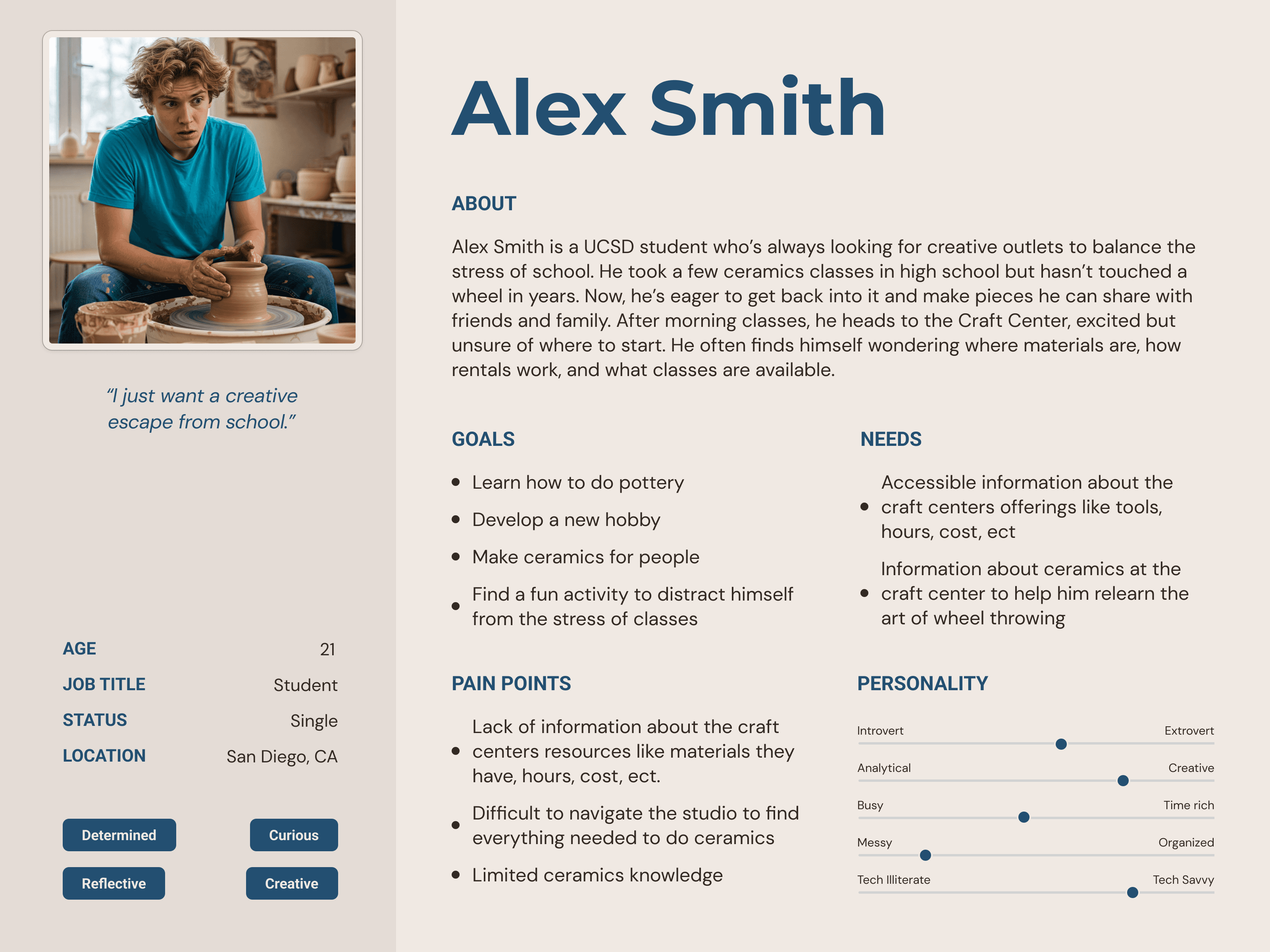
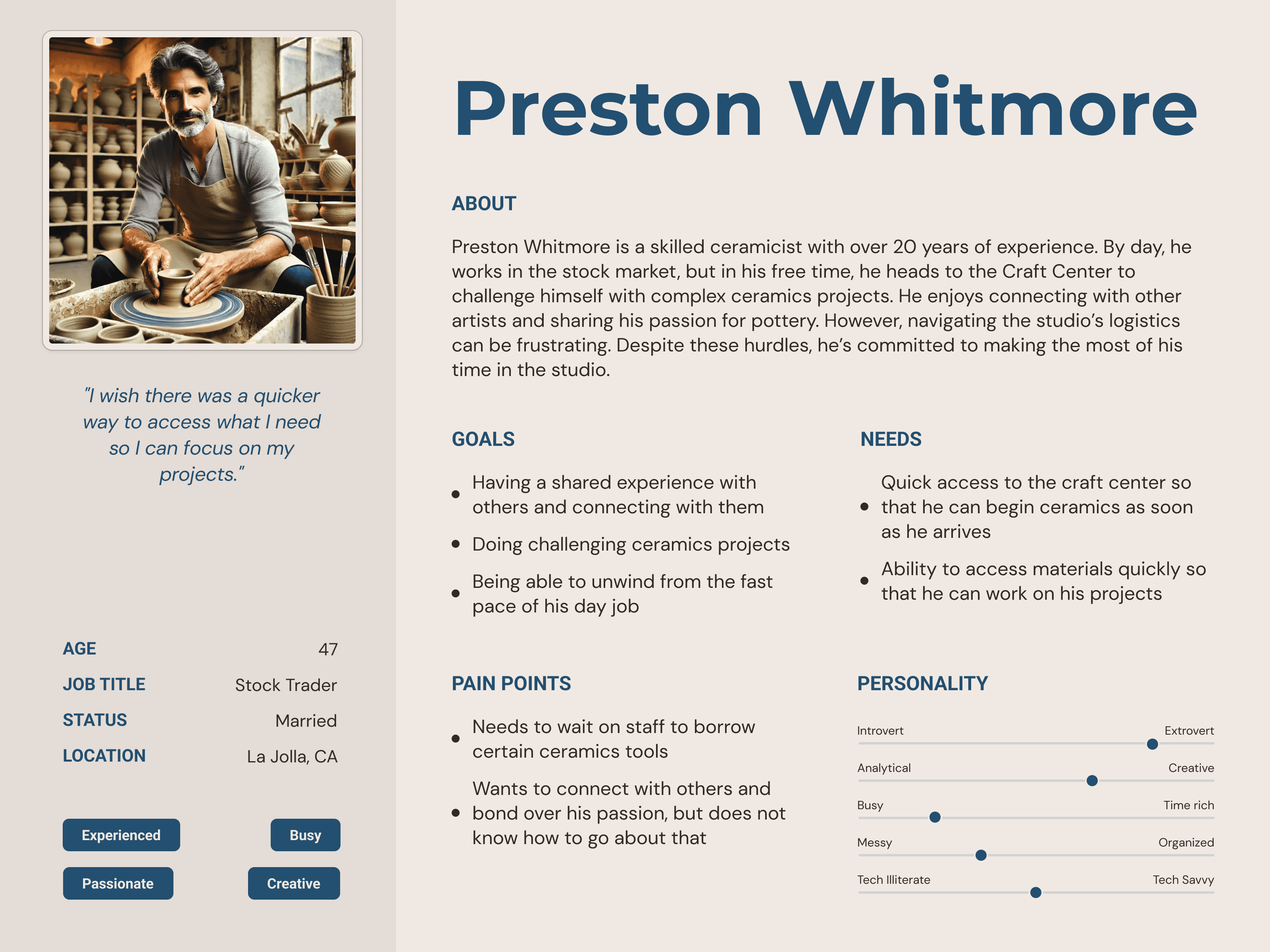
Our Target Users:
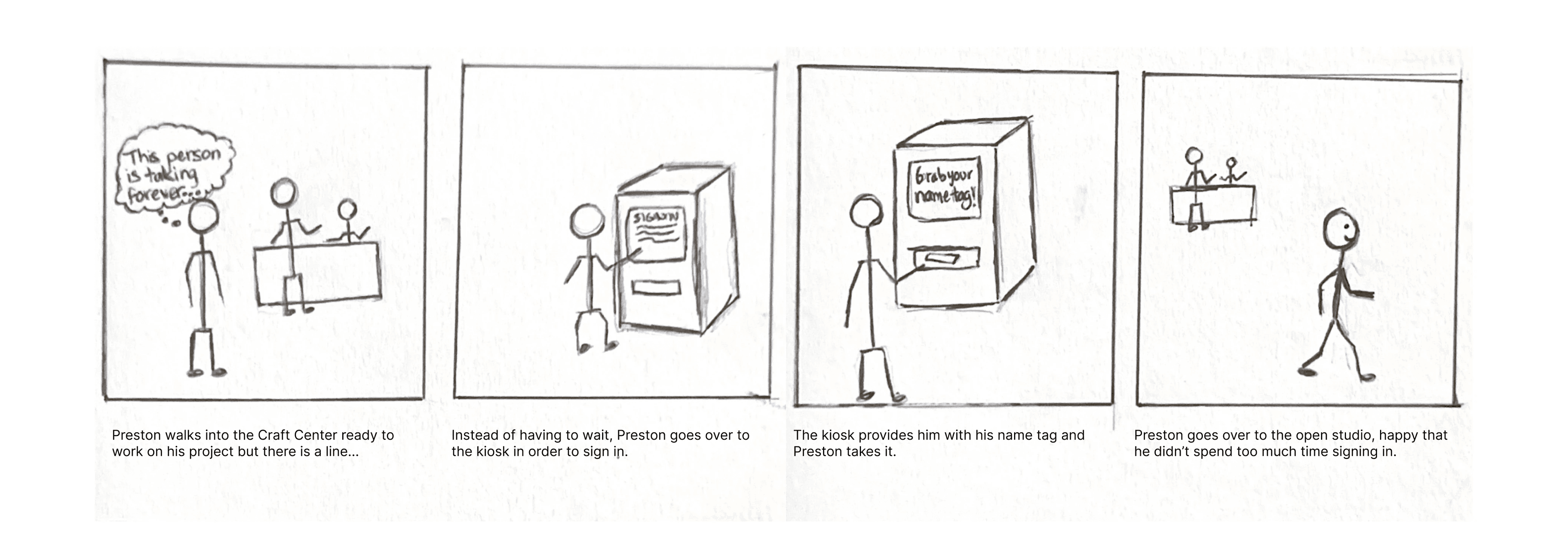
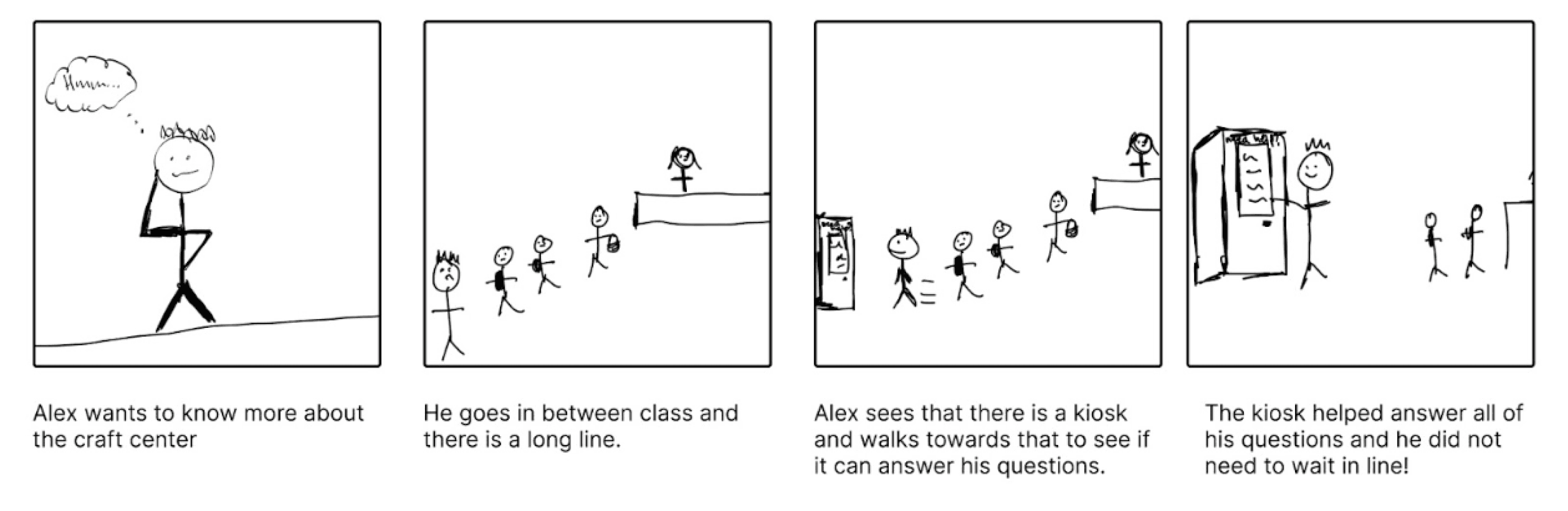
Storyboards:
We also brainstormed user scenarios and storyboards, illustrating potential solutions for streamlining the ceramicist's’ experience. We then went back to the Craft Center again in order to receive feedback from users, asking them if they relate to the scenario drawn.
Ideation and Lo-Fi Prototyping
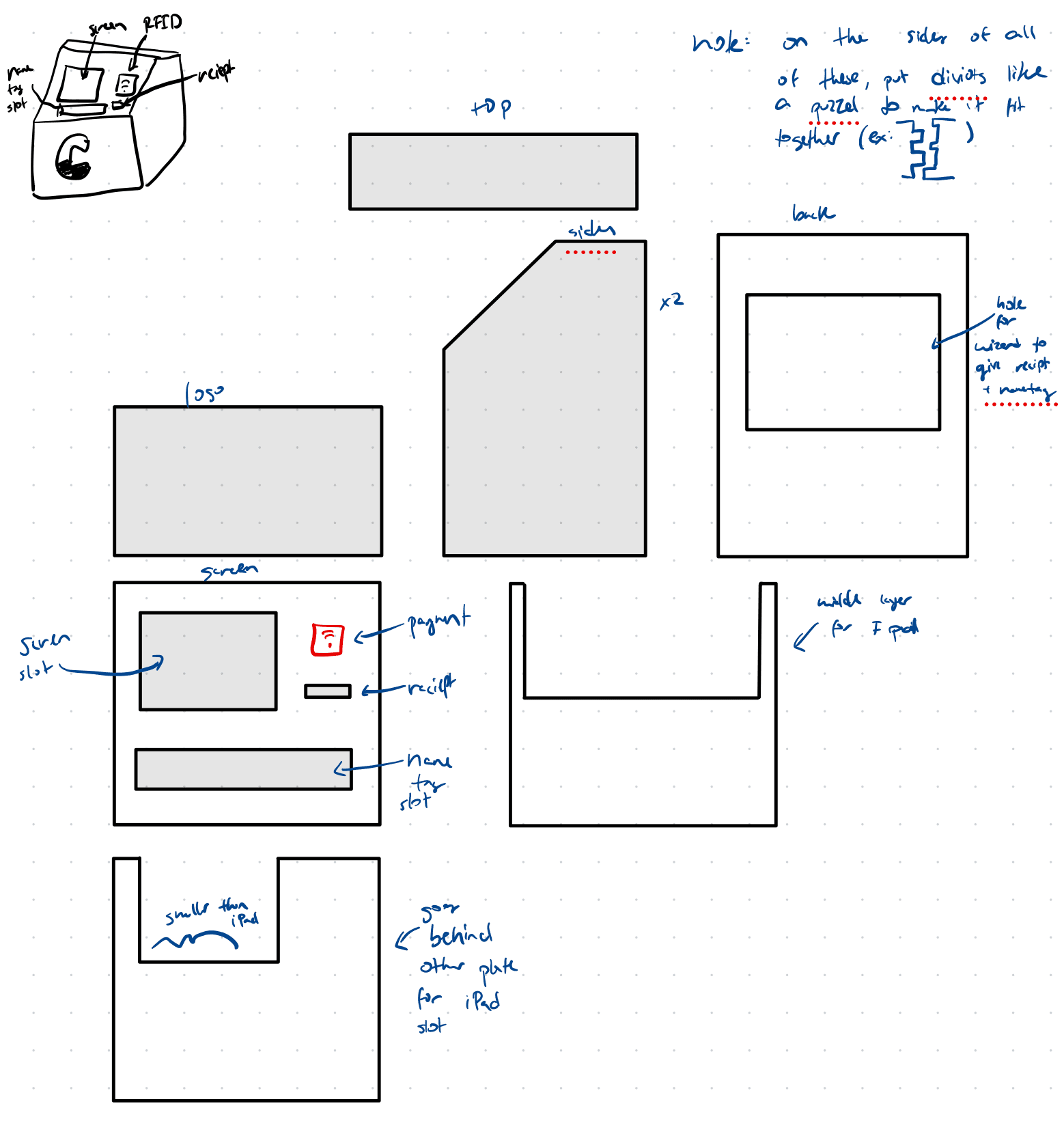
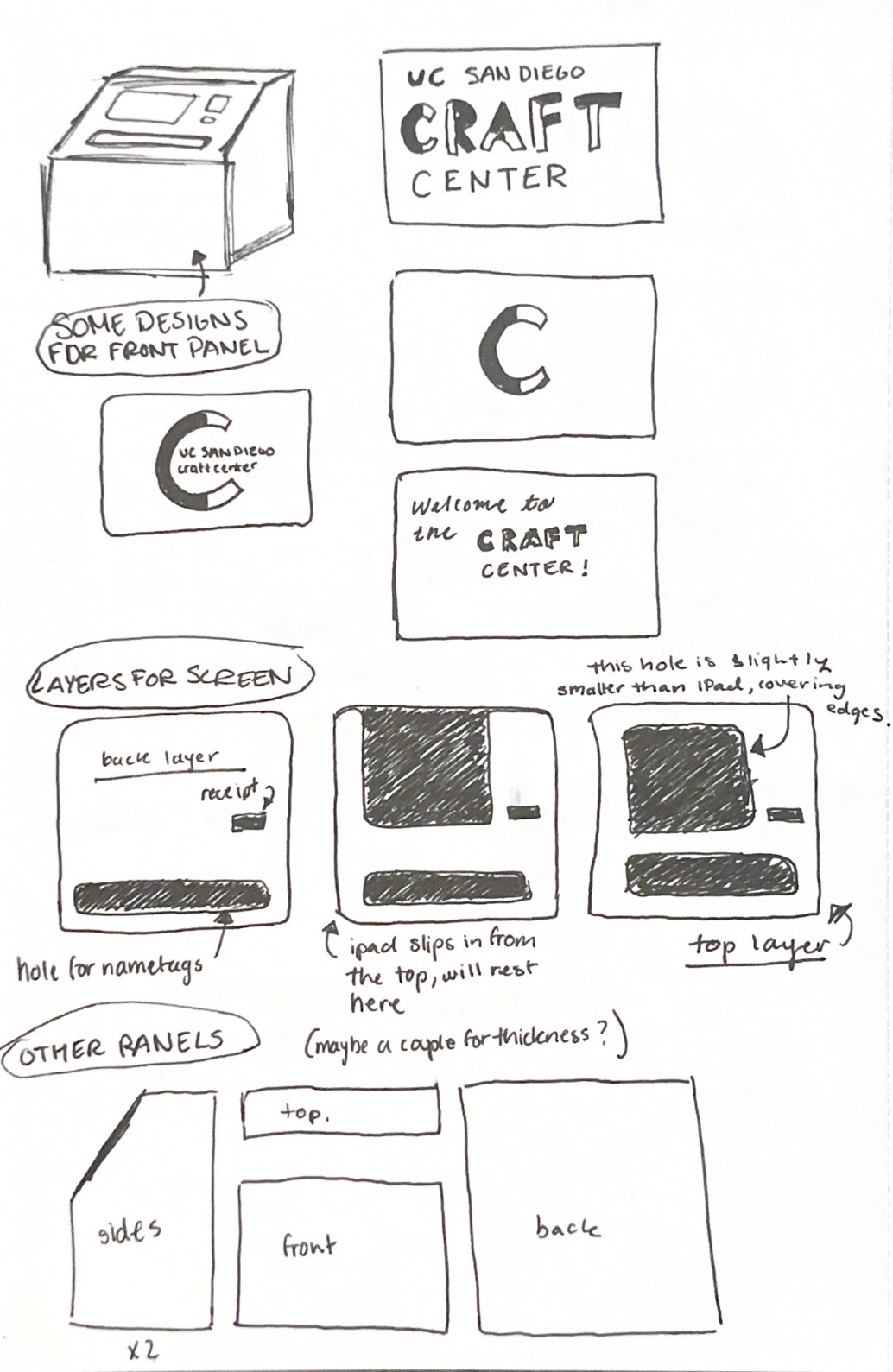
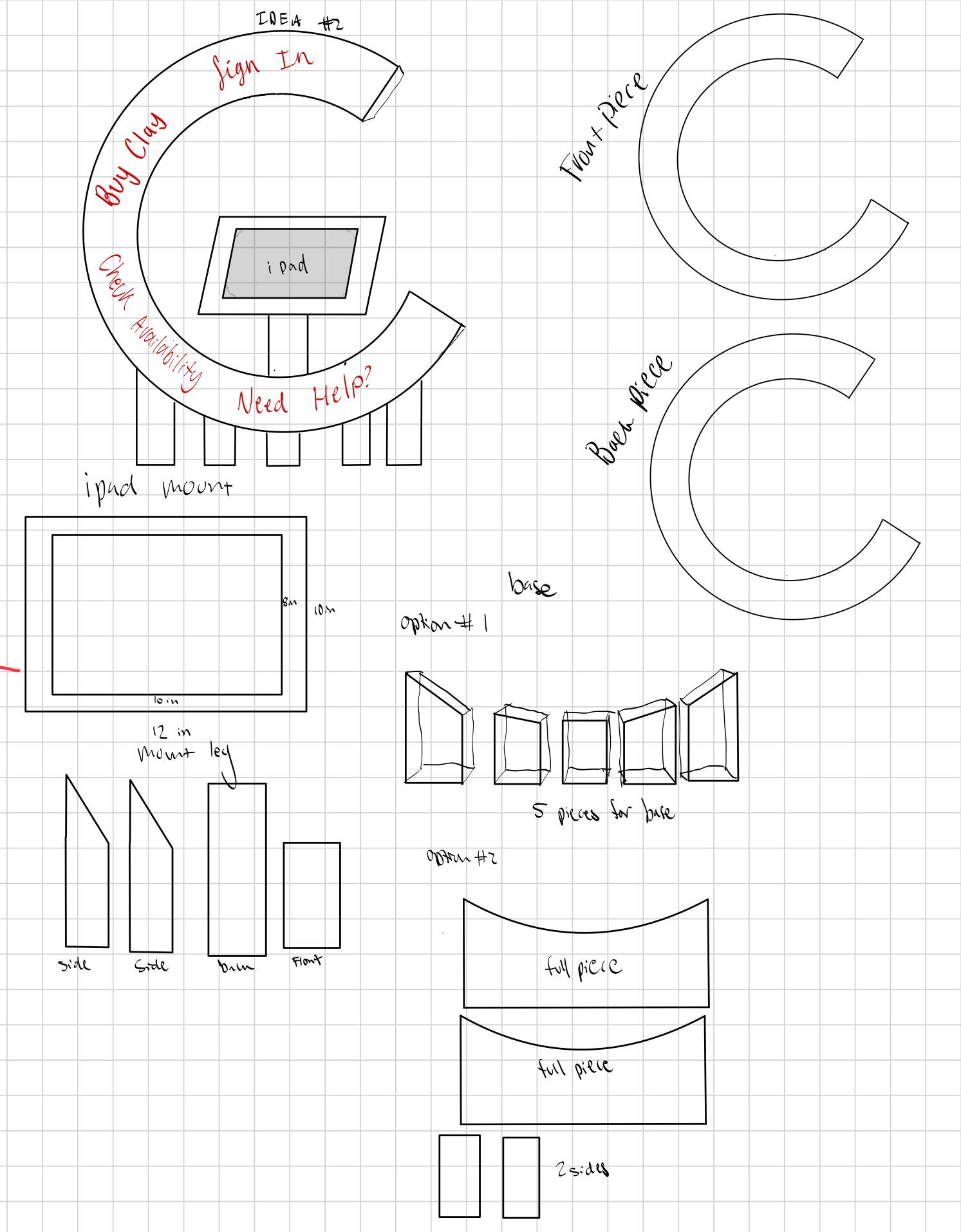
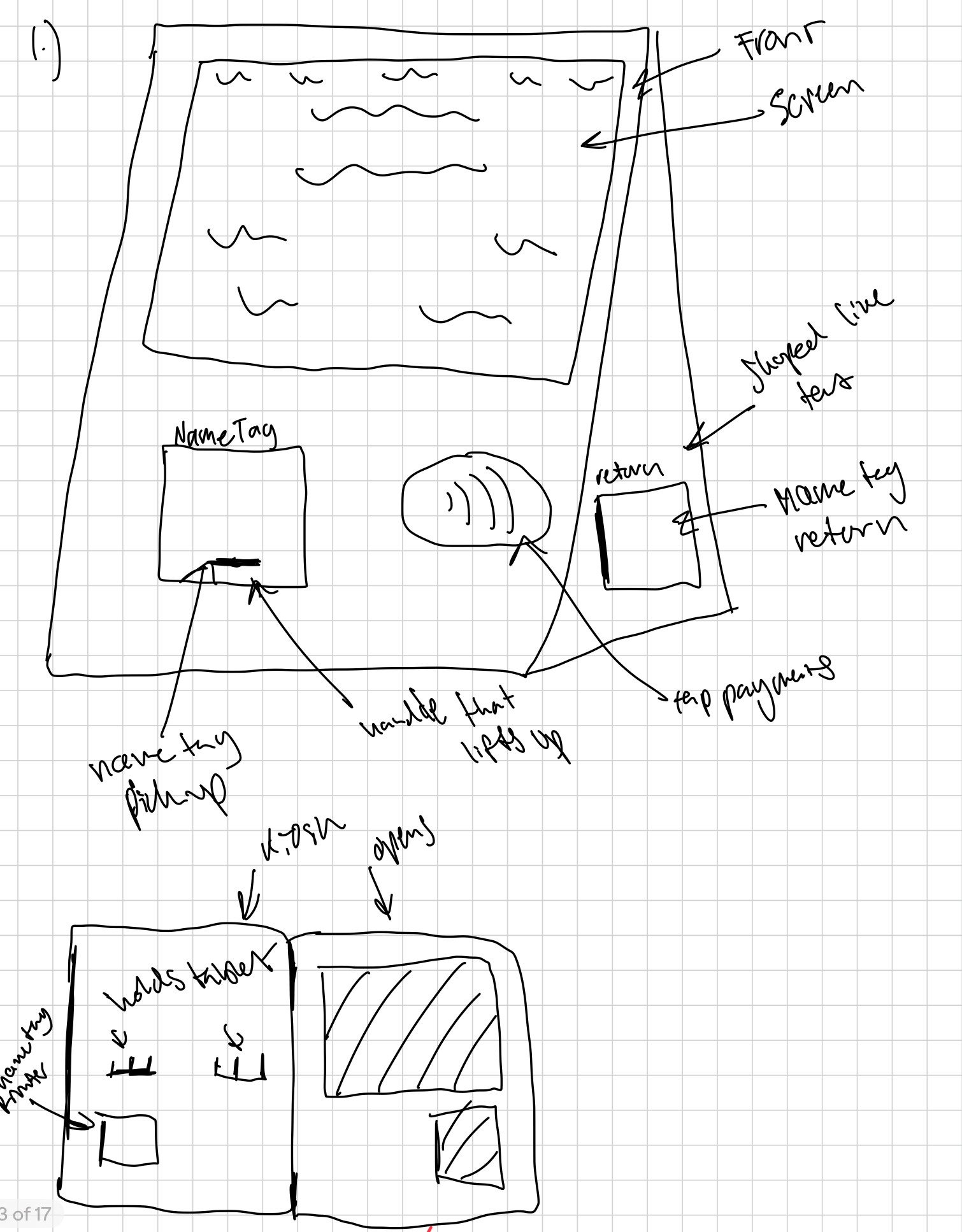
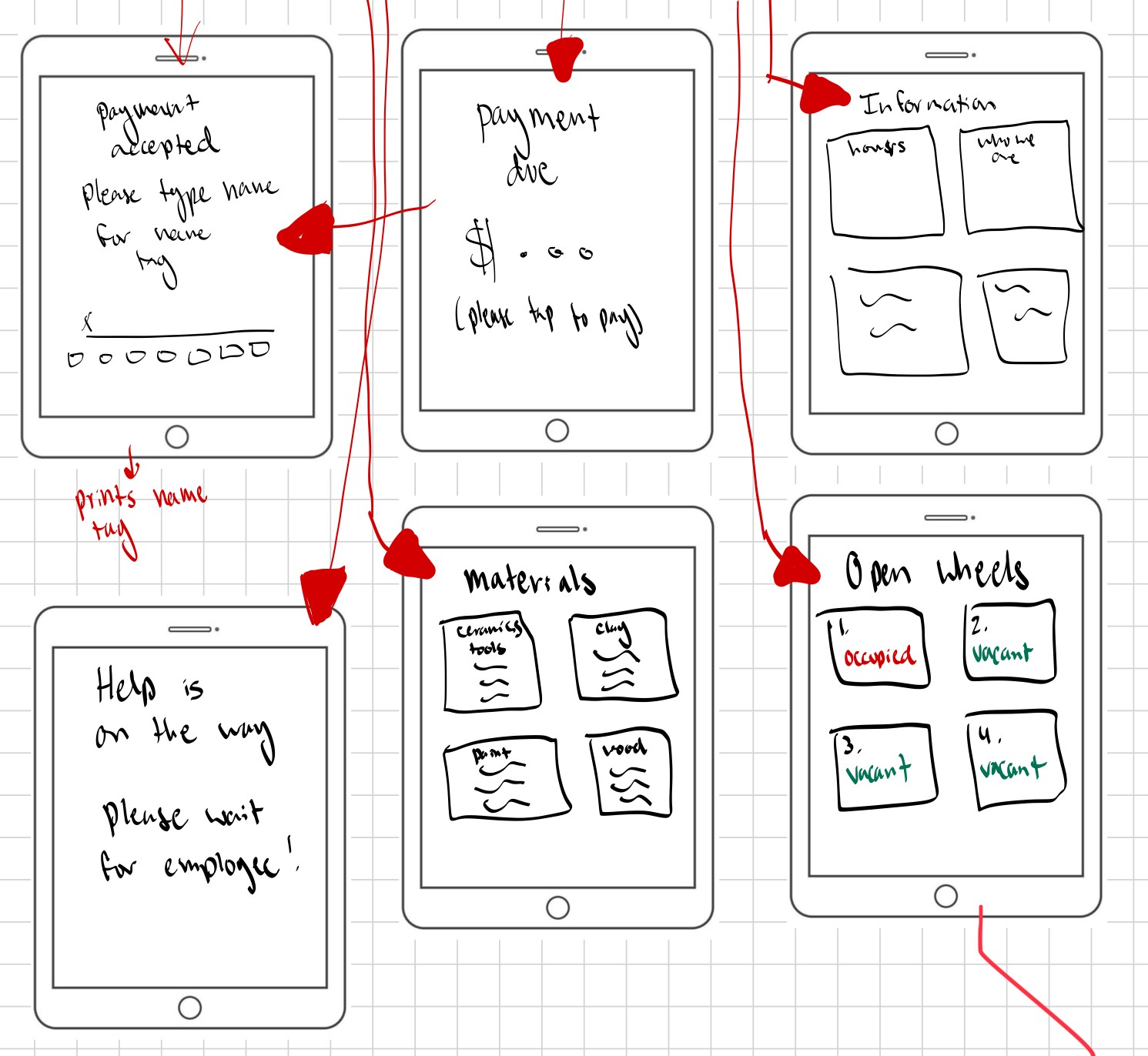
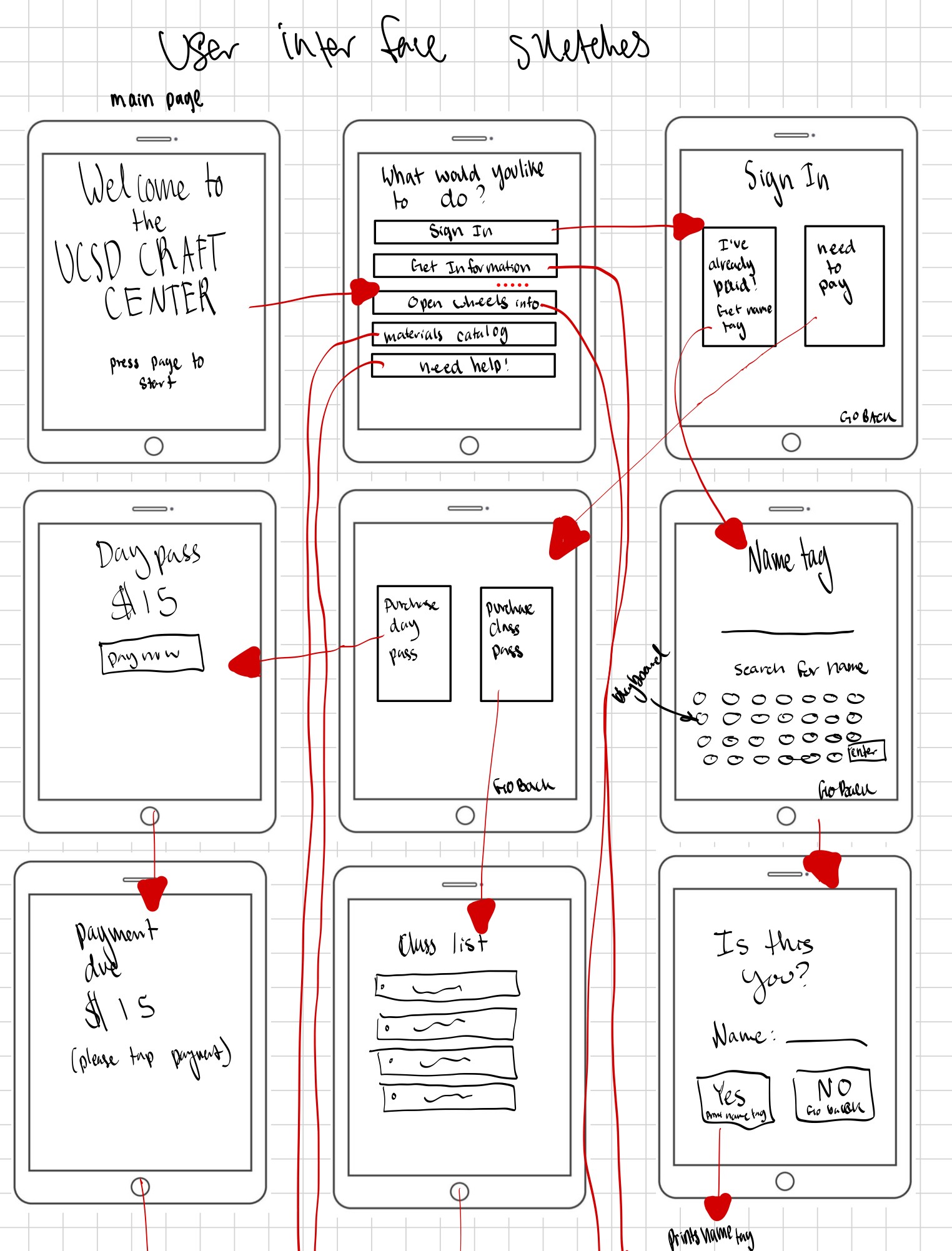
We then began sketching wireframes for both the digital and physical components of the kiosk.
prototype 1
prototype 2
prototype 3

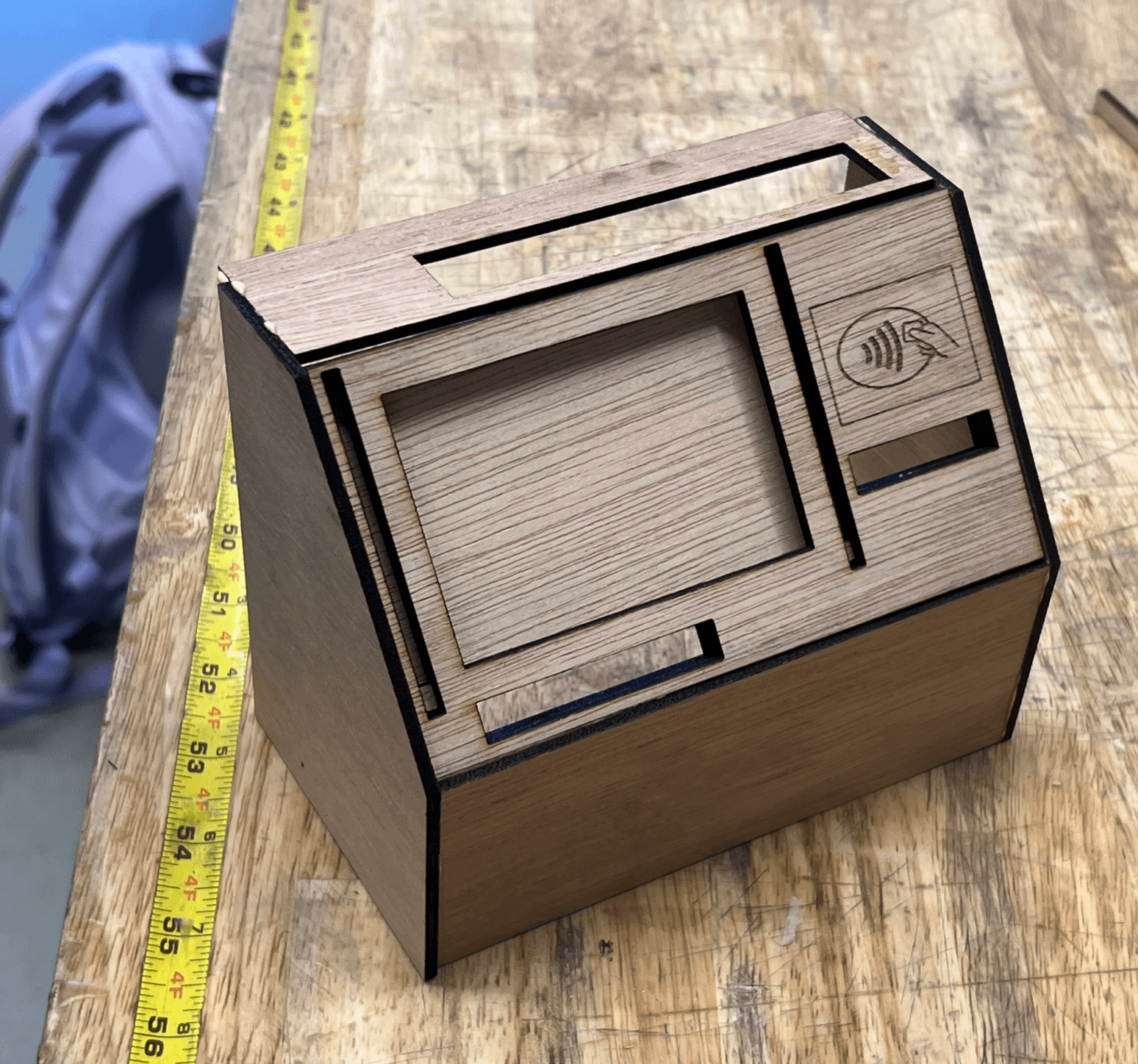
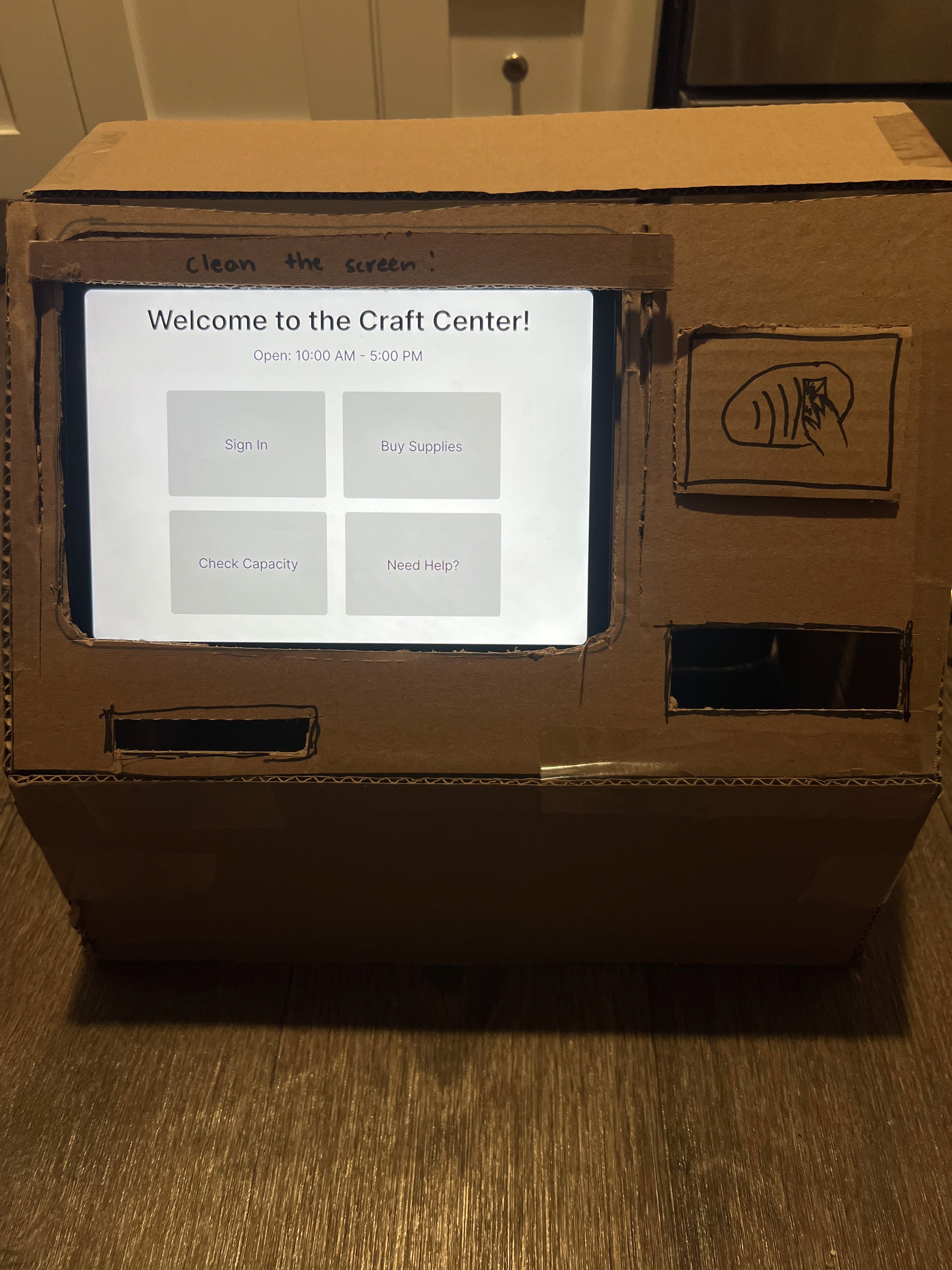
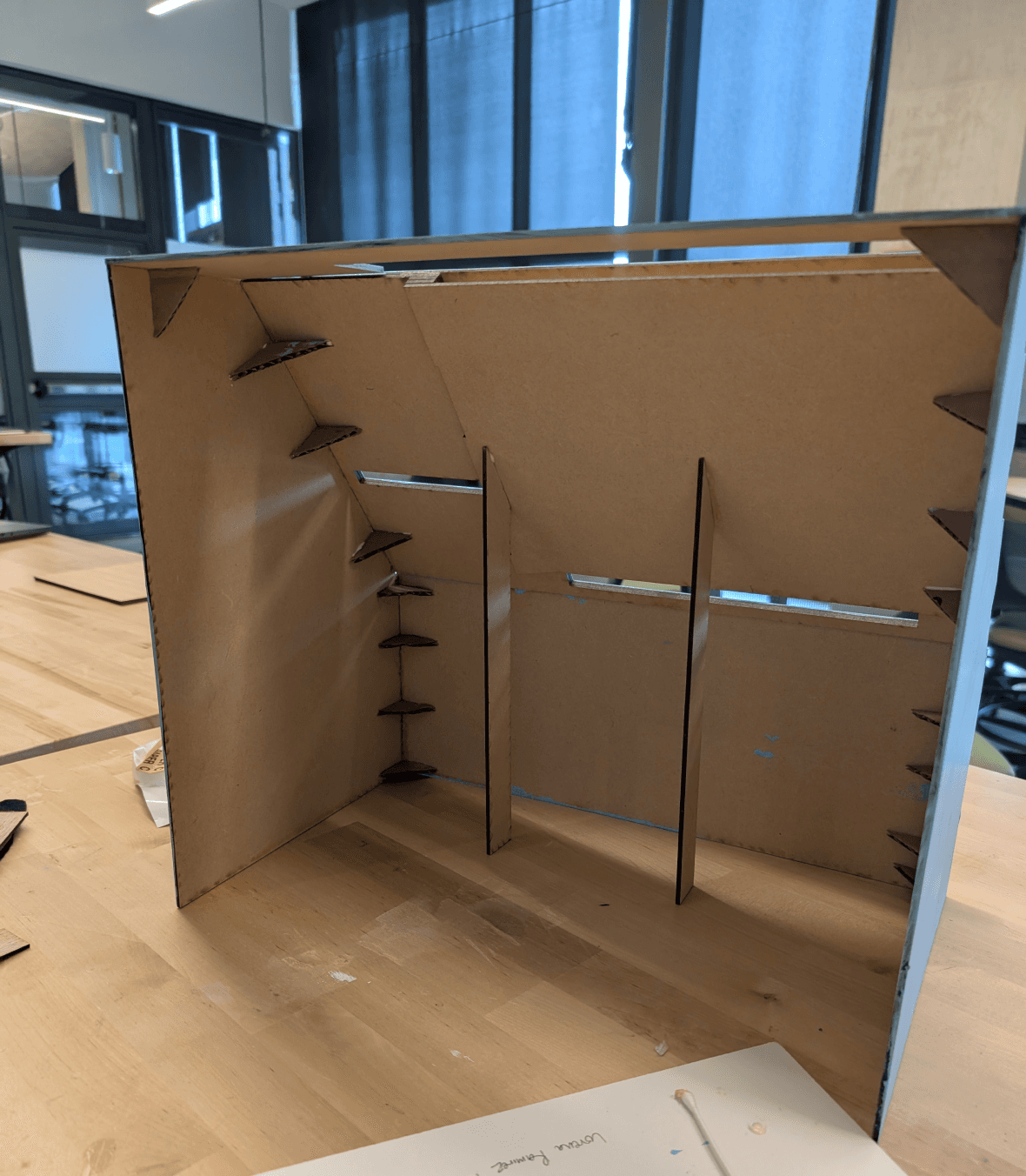
Cardboard Prototype
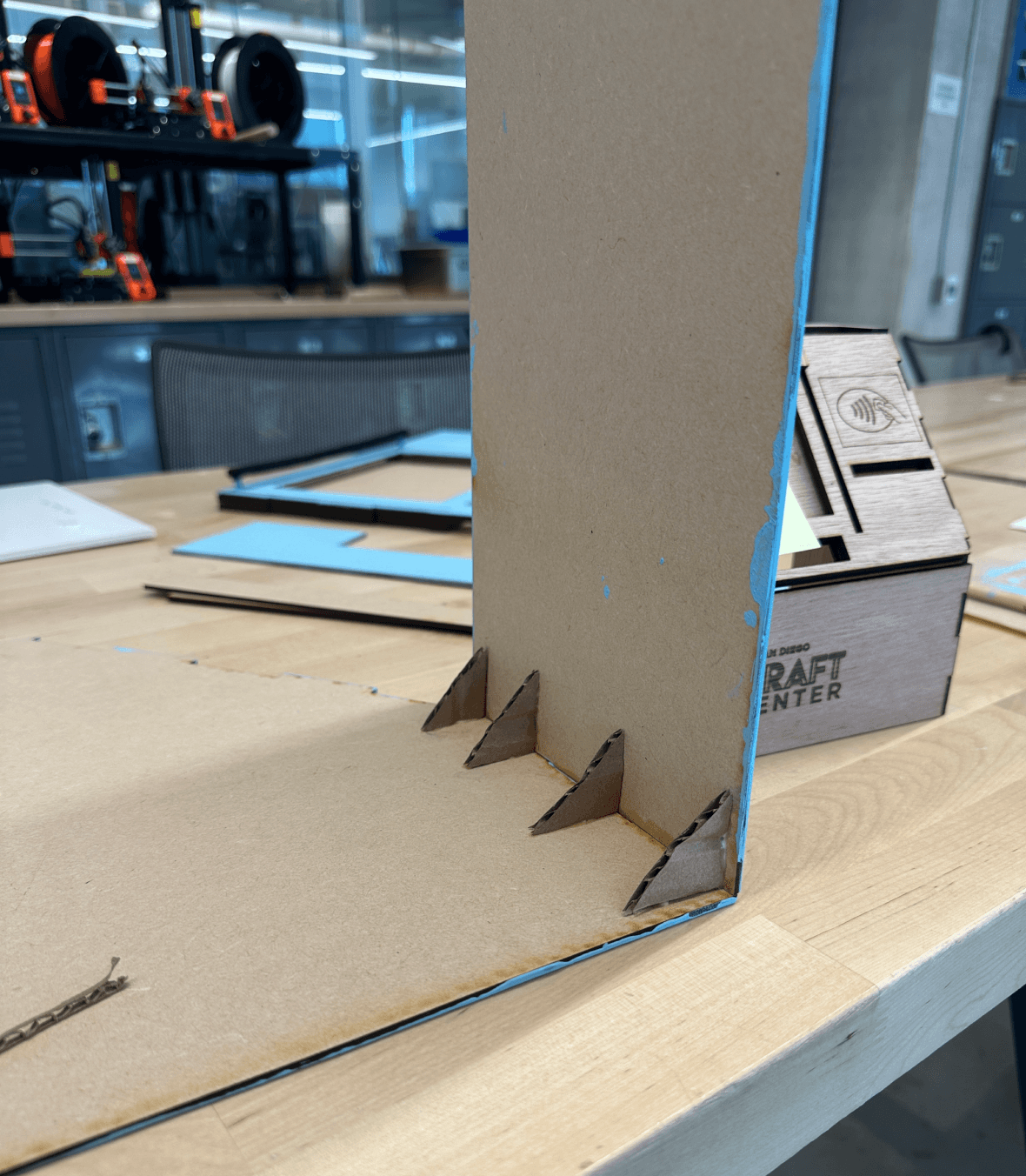
Wood Prototype before slots
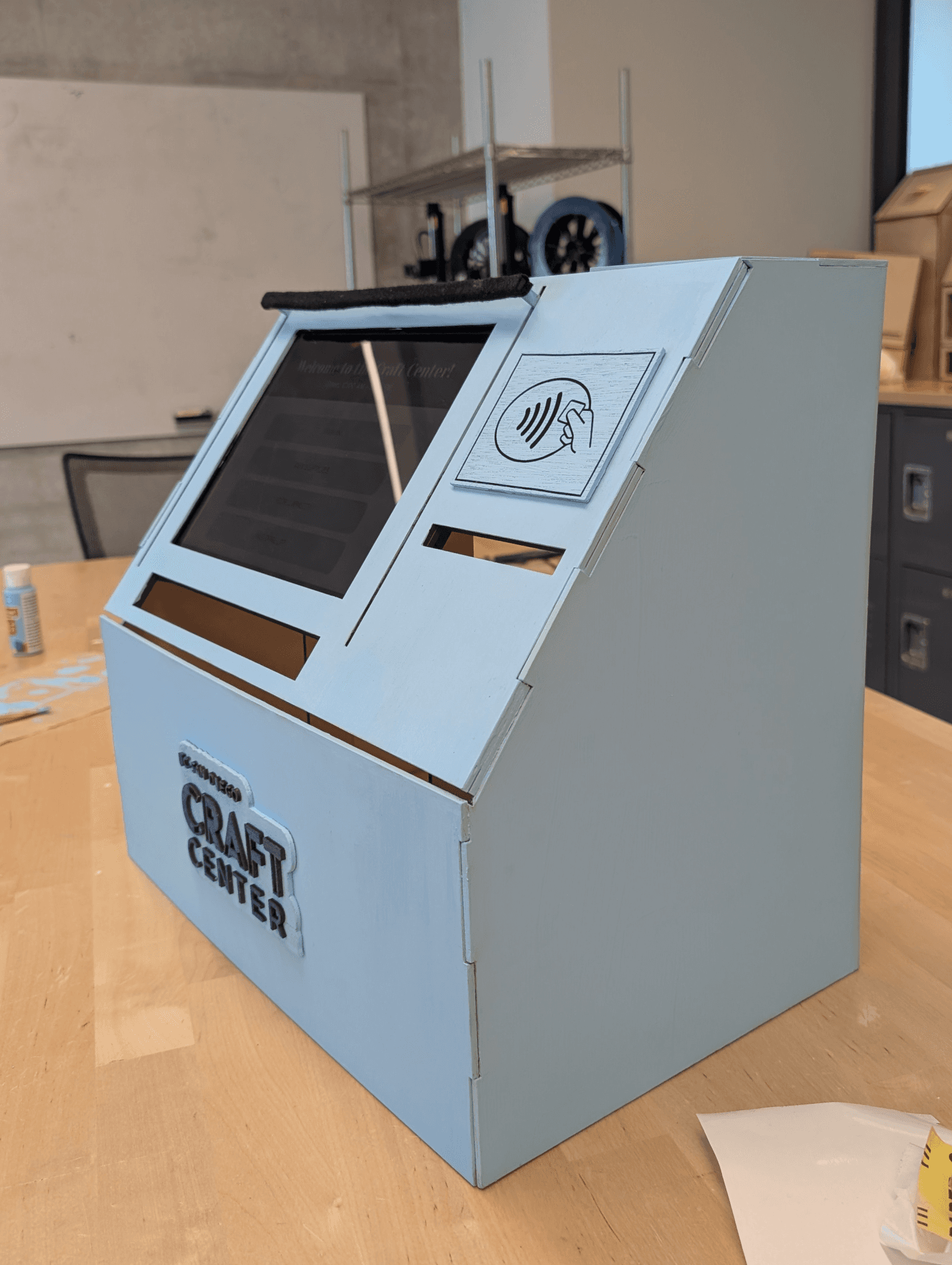
Wood Prototype with slots
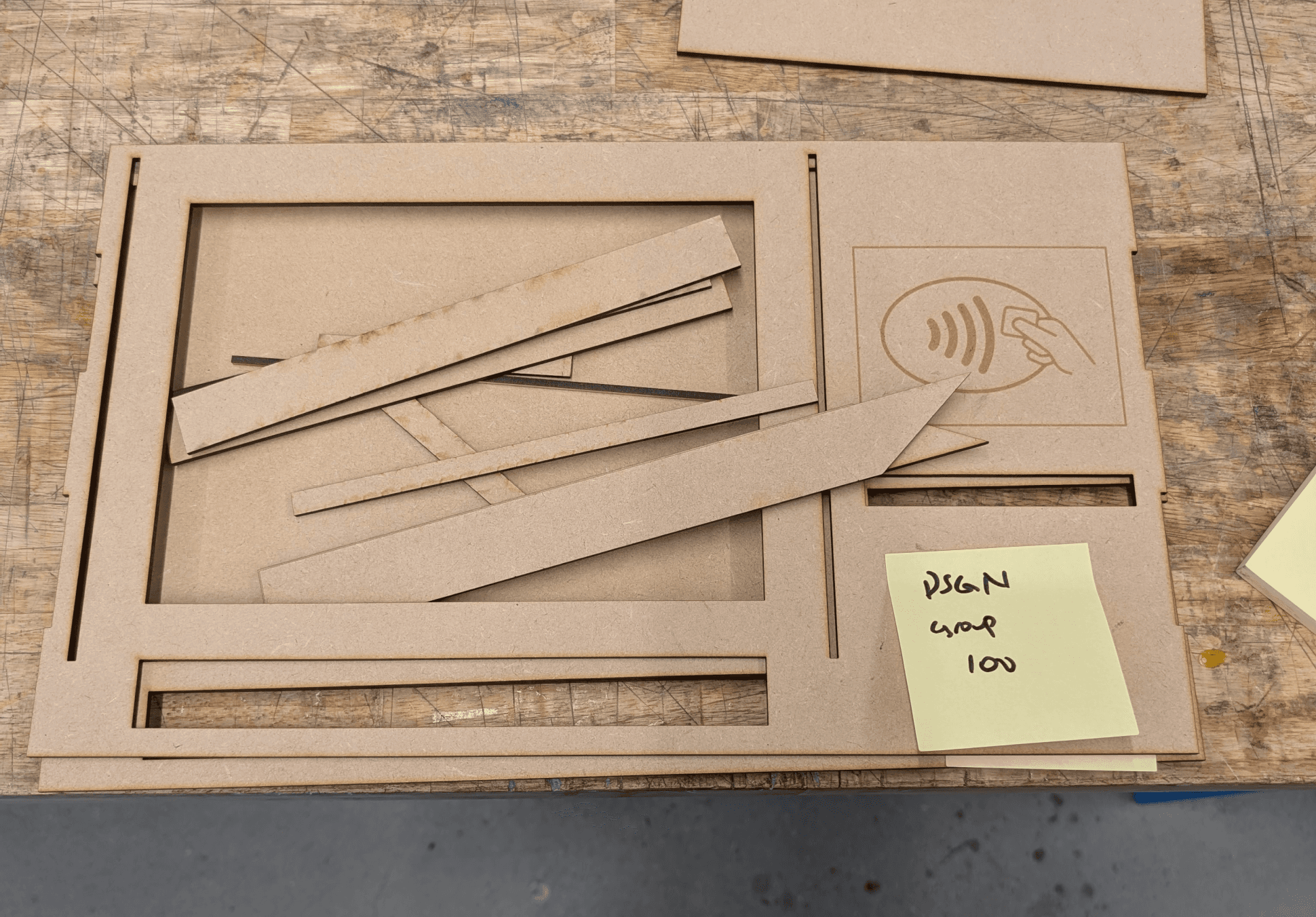
We went with one of these designs above and made a cardboard prototype. We took its dimensions and began the design on Inkscape, which brought us to our second prototype. We then made some final changes and added slots to our final lo-fi prototype as shown below.
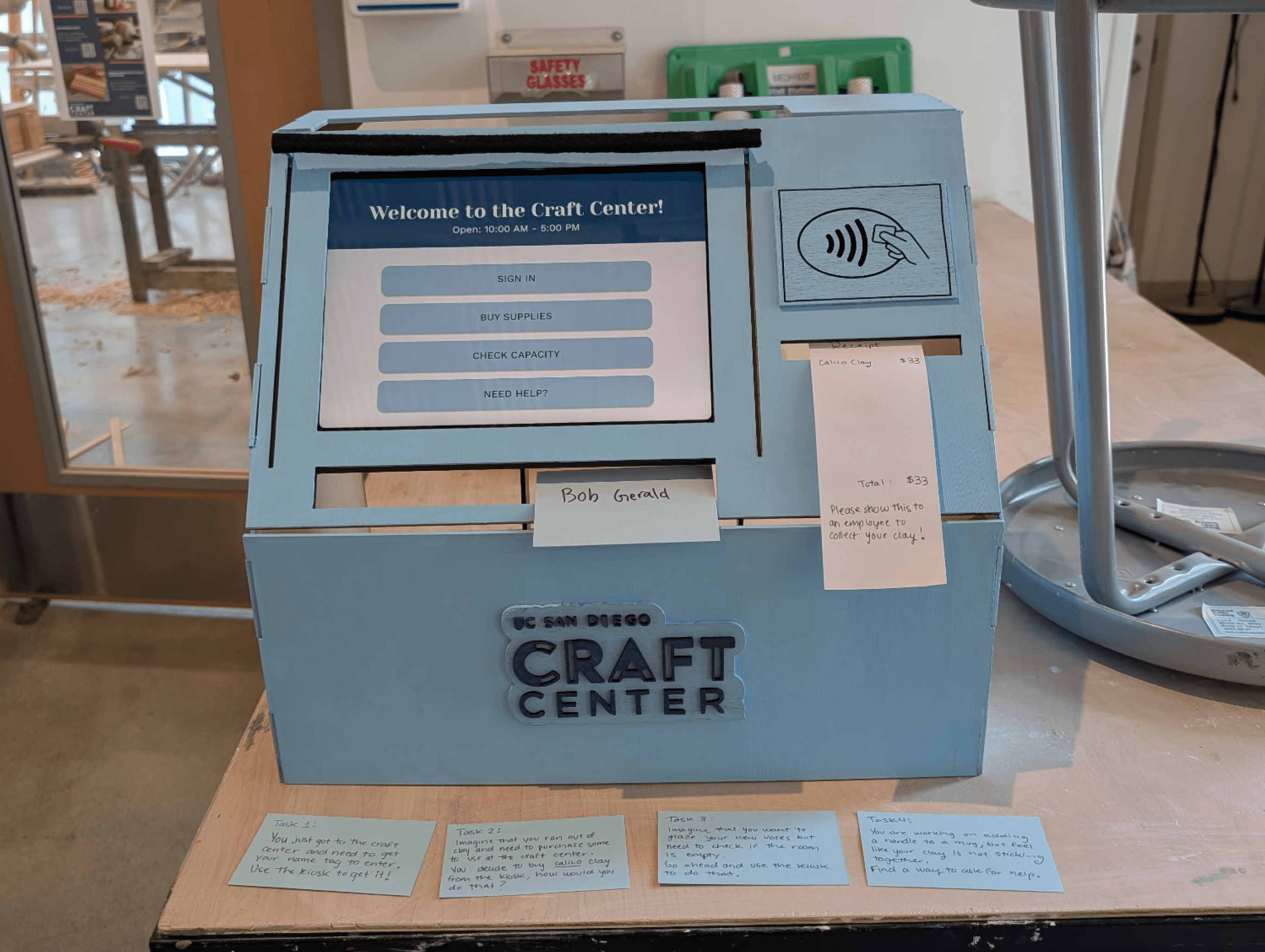
The High-Fidelity Prototype
Usability Testings
We then went back to the Craft Center again to test out our kiosk, providing the users with these written tasks:
You just got to the craft center and need to get your name tag to enter. Use the kiosk to get it!
Imagine that you ran out of clay and need to purchase some to use at the craft center. You decide to buy calico clay from the kiosk at the front desk. How would you do that?
Imagine that you want to glaze your new vases but need to check if the room is empty. Go ahead and use the kiosk to do that.
You are working on adding a handle to a mug, but feel like your clay is not sticking together. Find a way to ask for help.
Key Insights
We learned that users wanted a way to reserve a space. We had previously just had capacities shown but added the ability to make reservations soon after.
Users needed a signifier after they have added items to the cart. They were unsure if they successfully added an item to their cart.
After paying, users were unsure if their payment was processed.
Ceramicists were unsure on how to return to the home page after or during tasks.
The UX Flows:

Checking-in & retrieving your name tag

Purchasing tools and clay

Checking capacity & reserving a space

FAQs & help button
Lessons & Next Steps
I thought this project was especially unique in that I was able to design the physical and digital components of this interactive kiosk. It felt great to design something for a space that felt was needed. And the result seemed to be greatly appreciated by everyone at the studio!
Lessons Learned
After our final iterations, we received yet additional feedback from out TAs and professor! Some changes we would make to our kiosk:
Adding a confirmation screen when making reservations as this seemed to not be as clear as we hoped.
Explore more UX flows in order to try different pathways such as renting out tools.
As for the physical kiosk, my team would have liked to decorate it more in order to reflect the creativity and space of the Craft Center.
Next Steps
Feel free to contact me to discuss everything and anything at all!
Email: lorena.rez17@gmail.com
Phone: (760)201-6199
Let’s Connect!