Improving Google Earth Pro for Geology Researchers
This case study explores the redesign of Google Earth Pro while working alongside a geology researcher. Through Loren’s insightful feedback, my team was able to curate an experience that could aid geology researchers everywhere.
Course
COGS 127 - Data Driven UX/Product Design
Duration
January - March 2025
(7 weeks)
Team
Designers: Joanne & Caroline
Stakeholder: Loren
Tools
Figma
An overview of Google Earth Pro
Through this course project, my team and I worked with Loren, a geology researcher working to understand the change in areas that have been under researched.
Google Earth Pro is a powerful tool used for exploring terrane and recording localities. Our stakeholder Loren uses Google Earth Pro to map points that serve as place markers for the site. Loren also uses it to access the terrain and add assessment terrain markers, specifically to map the change in different sites.
My Responsibility
Lead UX Designer
As the Lead UX Designer for this project, I was responsible for conducting user research, designing wireframes and prototypes, and iterating based on stakeholder feedback. My role required a deep understanding of geology researchers' workflows and the usability challenges they face with this mapping software.
The Problem
Geology researchers studying land changes need precise and reliable tools to map, annotate, and analyze spatial data over time. However, current mapping workflows introduce friction—tools for path creation can be overly sensitive, leading to accidental deletions, and filtering map layers lacks intuitive control. These challenges disrupt researchers’ focus, slow down their analysis, and make it harder to draw meaningful insights from geographic patterns. Addressing these usability barriers will support more efficient data exploration and enhance the accuracy of their research.
Our Goals
Based on our user research findings, our redesign will focus on improving usability and efficiency for geology researchers by addressing these goals.
Our primary goals include:
Enhance Path Creation and Editing Reliability
Improve Multi-View Functionality
Refine Interface & Aesthetics for Research-Focused Navigation
Design Process and Timeline
Beginning this project, we had interviewed three different stakeholders, figuring out which tools they use and how they accomplish them. By having them walk us through some of their daily tasks, my team was able to focus on their pain points.
We went ahead with a geology researcher, Loren, and worked to understand what her role and daily tasks. With this initial interview, we had Loren walk us through a typical task on Google Earth Pro.
With this being a course project, we worked on a tight schedule but we worked through our ideation process, getting feedback from Loren after our wireframes, and high-fidelity prototyping. This gave use some insightful information as we worked through our iteration process.
1st week
2nd week
3rd week
4th week
5th week
6th week
7th week
Understand
User Research, User Interview
Define
Problem Statement, User Personas, Competitive Audit
Ideate
UX flows, UI Sketches
Design
Wireframe, HI-Fi Design, Prototype
Test
Usability Testing, Conclusion, Future Concept
Target Audience:
GIS analysts
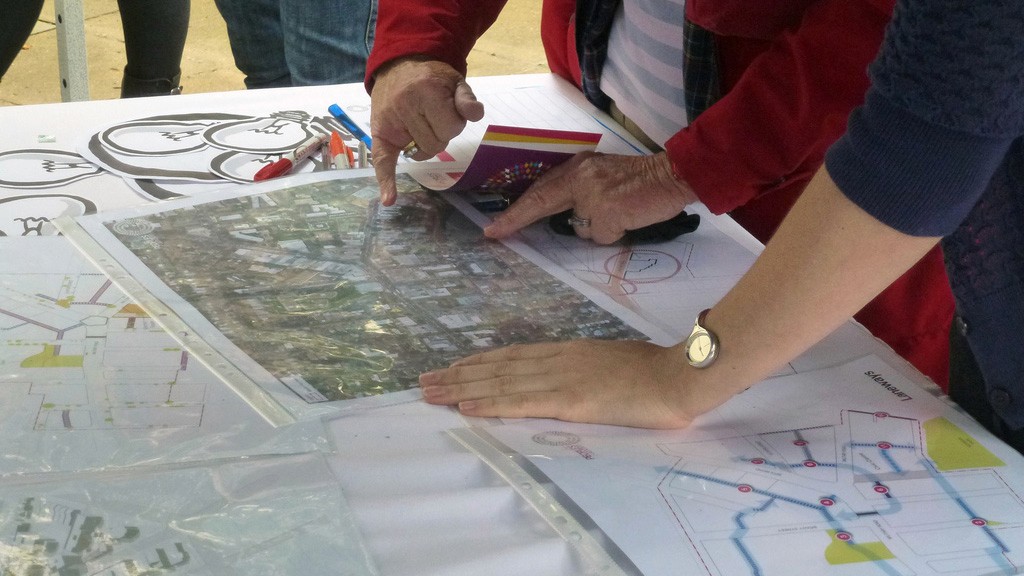
While our primary stakeholder is a geology researcher studying land changes, water access and geographic patterns, my team kept in mind that this tool is also used by any professional who works with mapping tools for environmental planning, land use, and urban development, or GIS analysts.


Loren’s Tasks and GEP’s Path Function
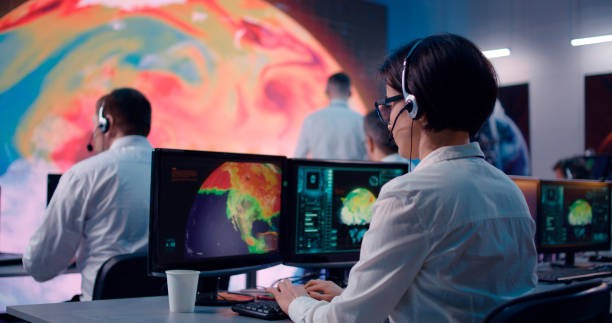
My team built an interview guide that worked to help us understand how Loren uses Google Earth Pro to perform her daily tasks.
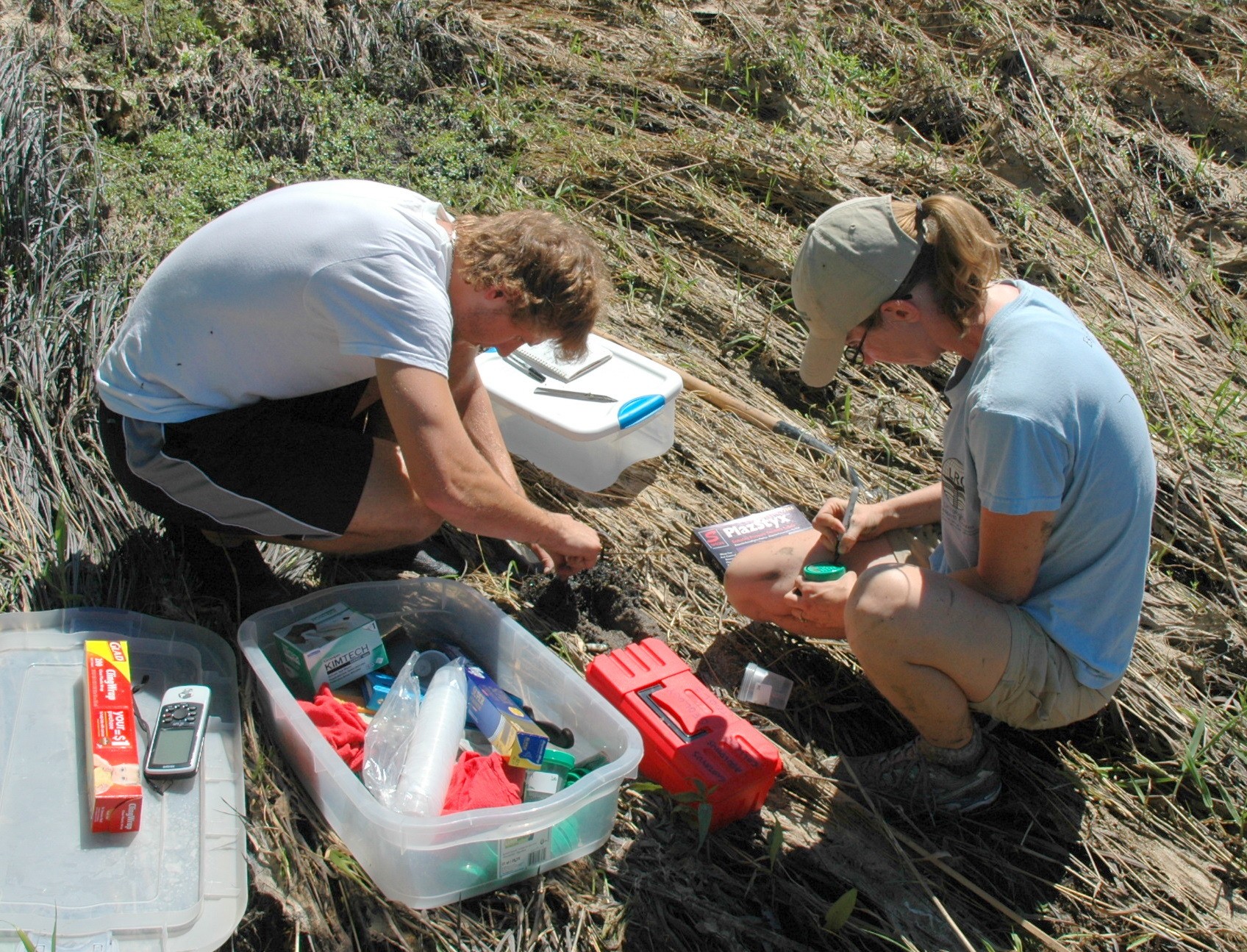
With GEP, Loren maps points that serve as place markers for the site. She also accesses the terrain and adds assessment terrain markers, mostly mapping the change in the site.
We then asked her to walk us through a specific task from start to finish. This gave us valuable insight to her pain points. She showed us how she maps water access points and places where people can go for drinkable water supply. After identifying the longitude and latitude coordinates, Loren uses the path function, along with the census data that she obtained from her historical research, to map access points for where population-dense areas would be.
After this initial interview with Loren, we noted some of her main struggles and concerns with Google Earth Pro:
Competitive Analysis
In seeing more ways that we can improve Google Earth Pro, it was important to research other tools that GIS professionals might use.
NASA
WorldWind
Earth
Bing
Maps
ArcGIS
Earth
lacks deep GIS tools
limited real time updates
high-resolution satellite imagery with zoom functionality
relative simple interface accessible for users
3D terrain
historical imagery for geographic changes over time
Opensource and customizable
scientific applications with support for geospatial data and research
works with large datasets, useful
for GIS and satellite data analysis
simple, straightforward UI for navigation
Bird’s Eye View offers a unique angled perspective
built for GIS professionals, with
robust Esri geospatial tools
strong shapefile and GIS layer support, ideal for analysis
steep learning curve
lacks Street View or ground-level
limited global 3D coverage
outdated and technical UI
lacks smooth navigation and
intuitive control
lacks immersive 3D experiences
minimal customization options for users
basic interactivity
more complex UI
limited street-level and 3D viewing
requires Esri ecosystem for full functionality, making it less accessible for general users
Weaknesses
Strengths
Loren’s Pain Points
1.
Overly Sensitive Path Creation & Editing
Moving a path can accidentally delete it, forcing the user to redo their work.
Lack of undo/save functions makes errors frustrating.
2.
Poor Multi-View Functionality
Wants the ability to toggle between different views (e.g., time-based changes, satellite vs. terrain)
3.
Interface & Aesthetics Issues
The user dislikes unnecessary overlays (e.g., state borders when analyzing water data).
Prefers a cleaner 3D view focused on their research needs.
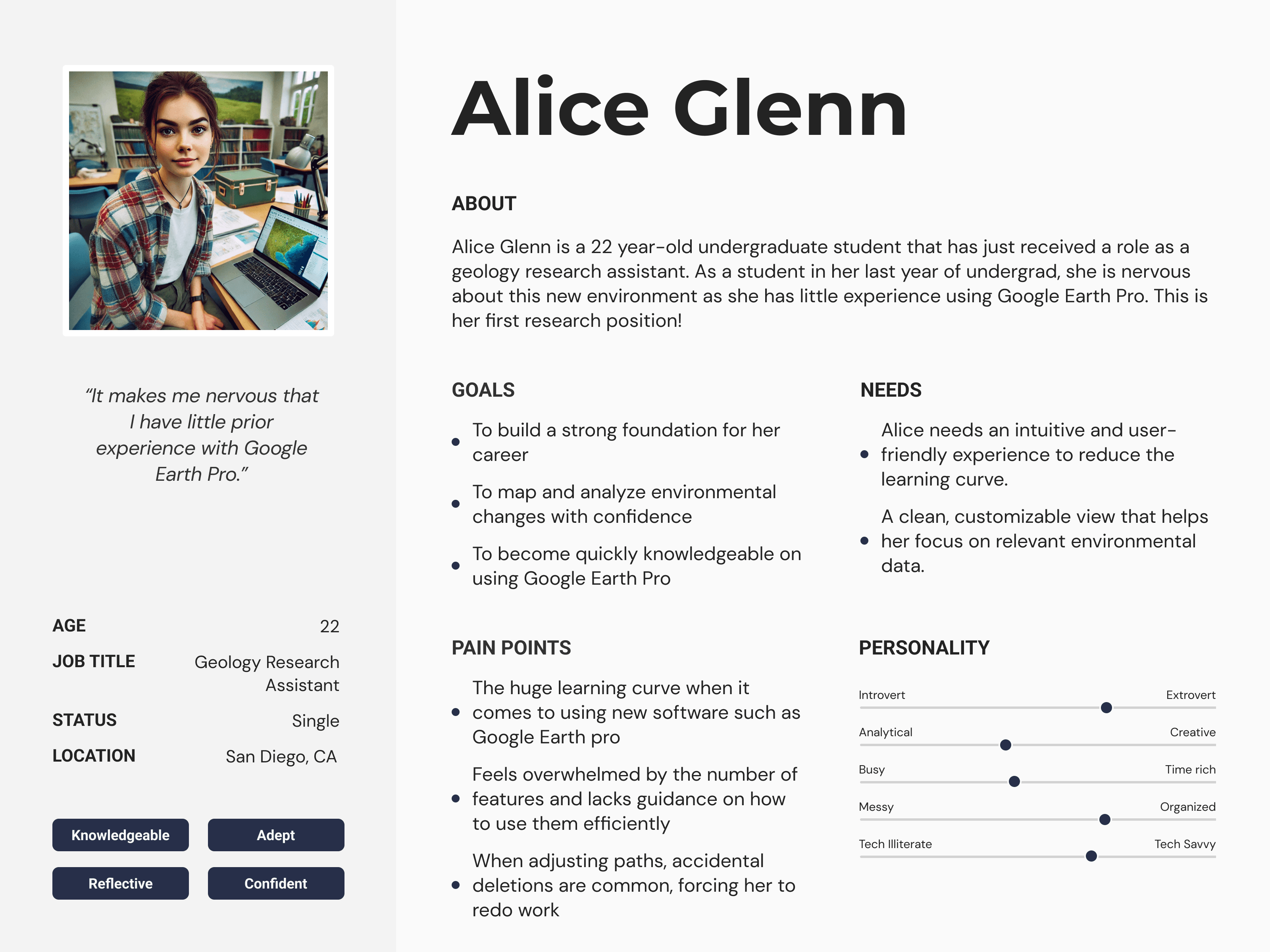
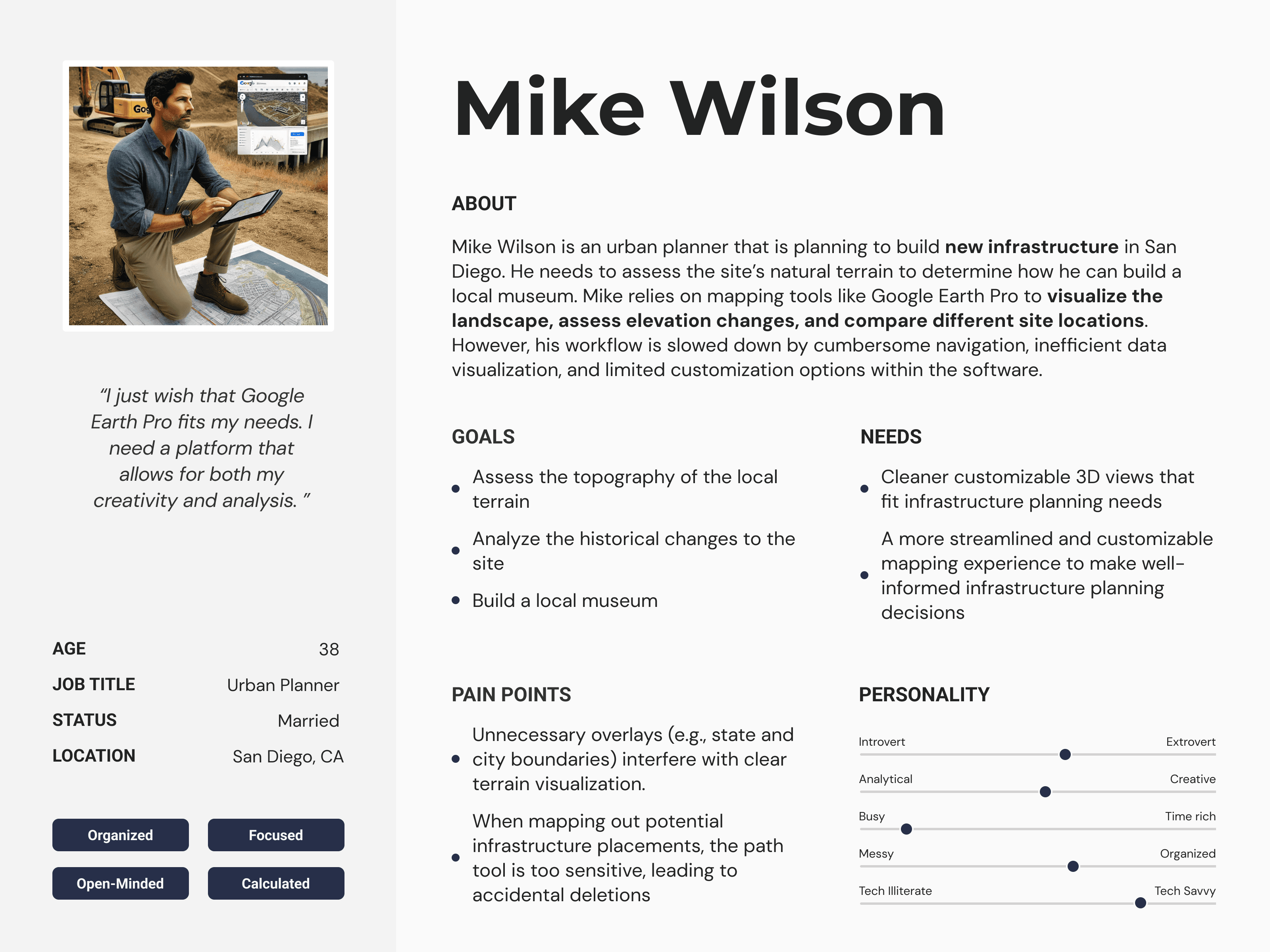
User Personas
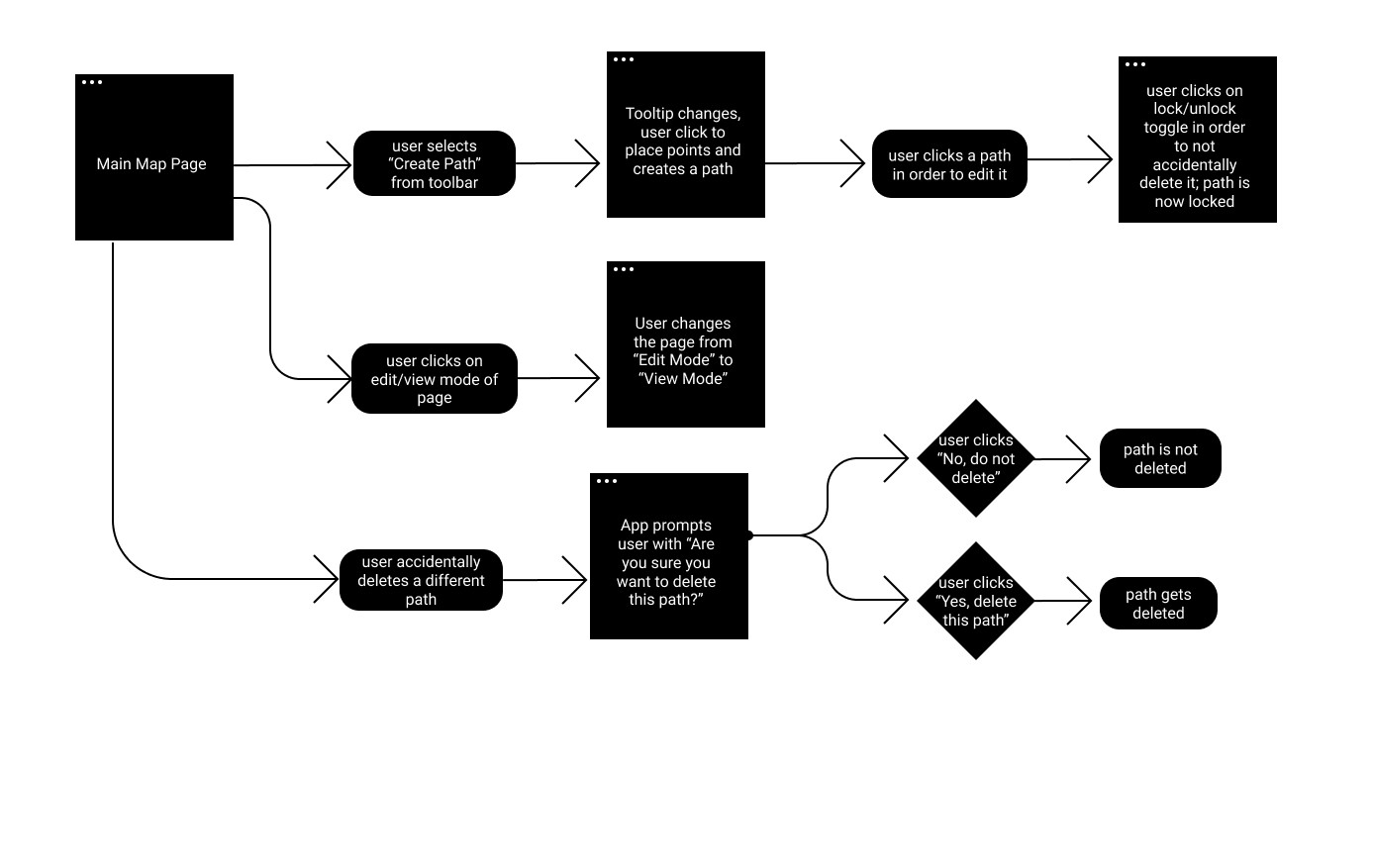
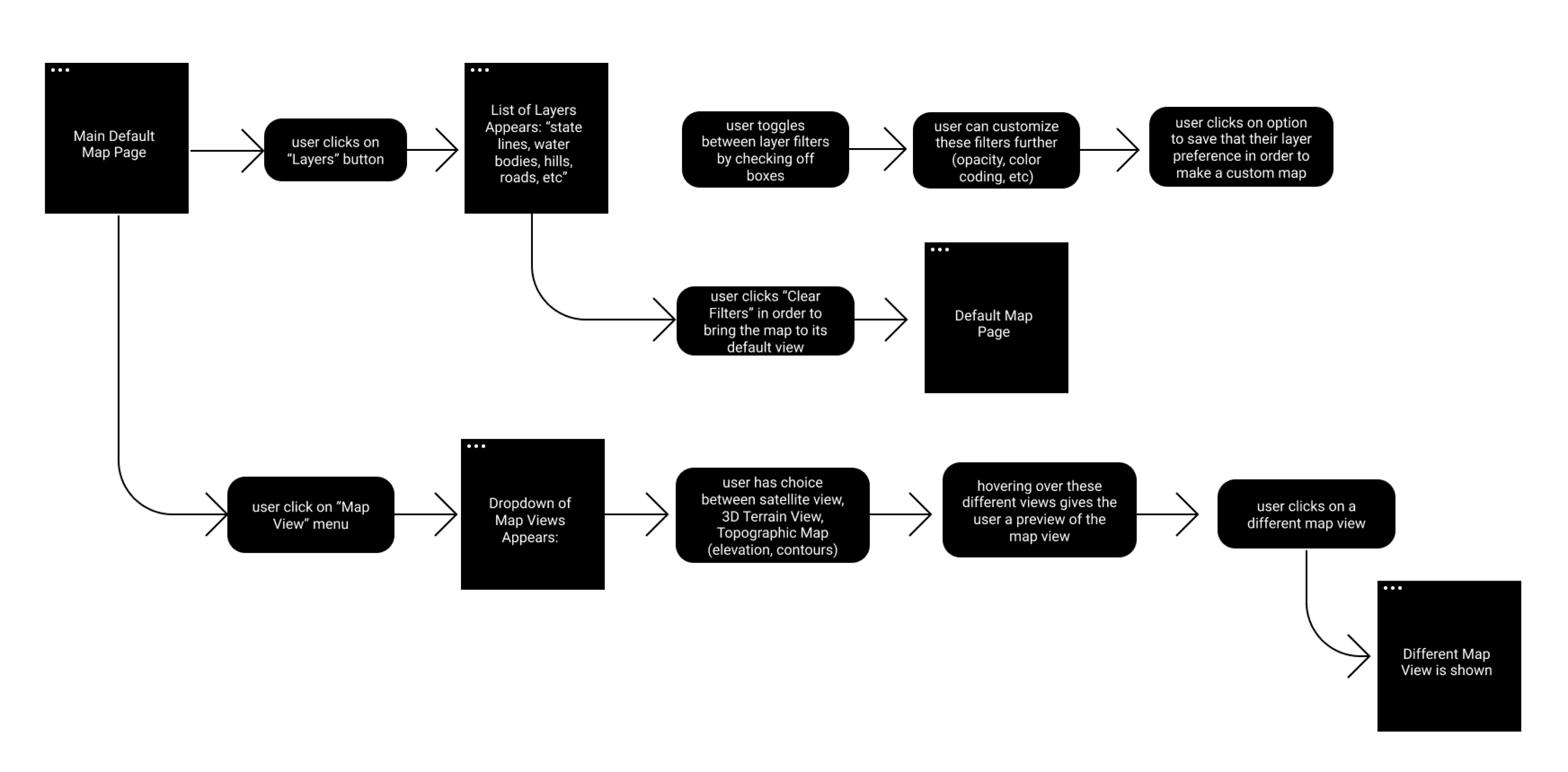
UX Flows
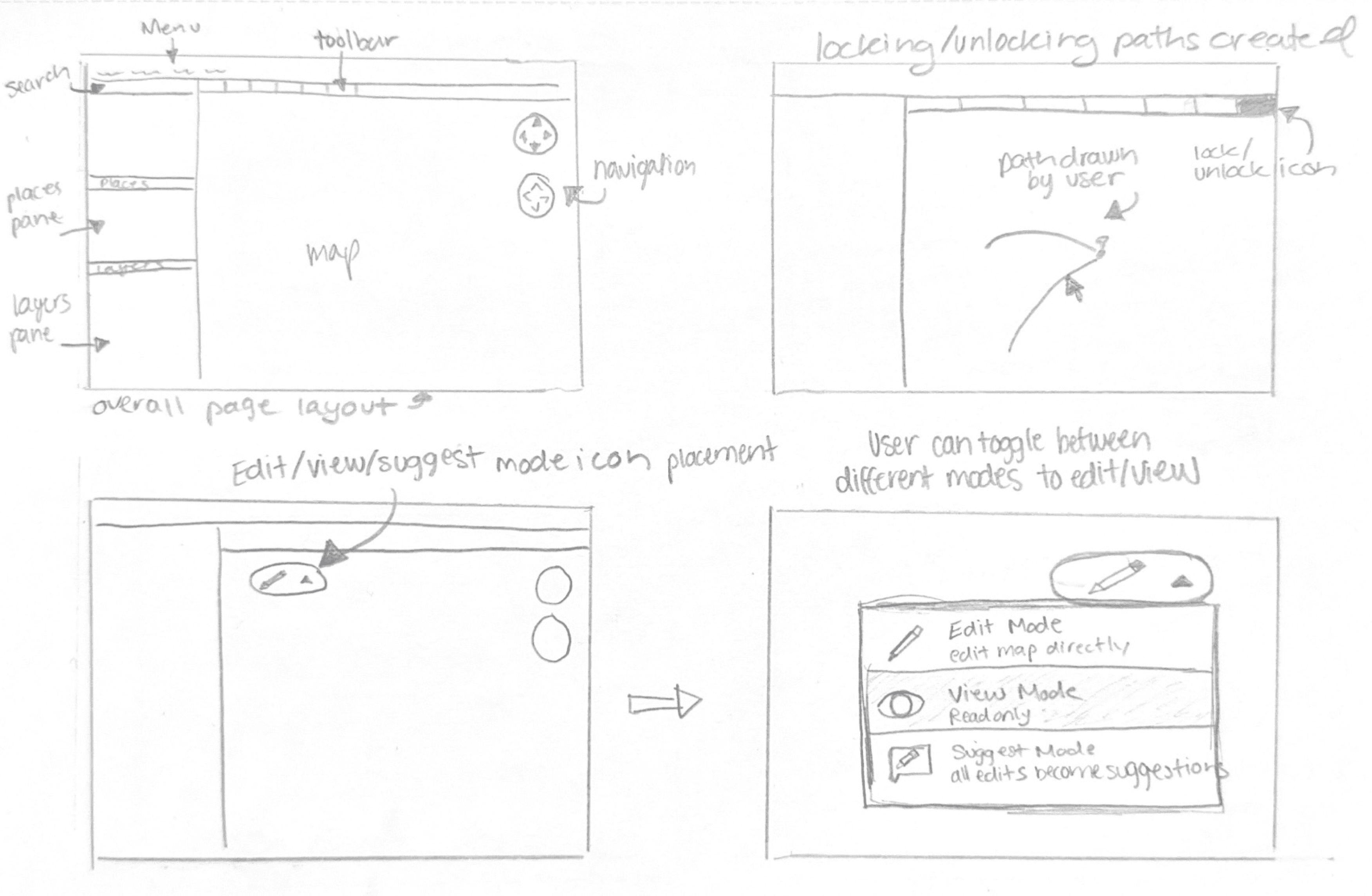
Sketches
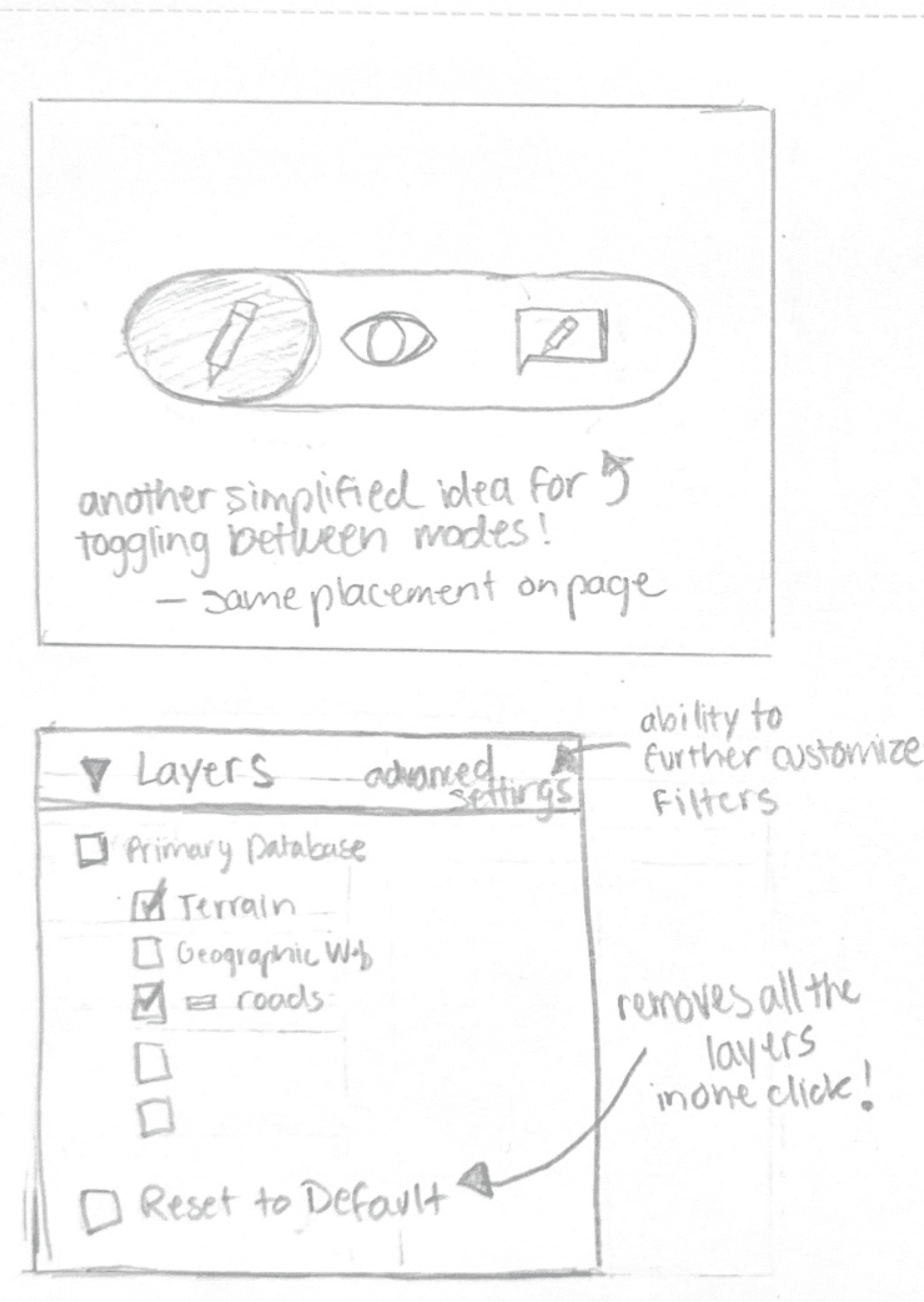
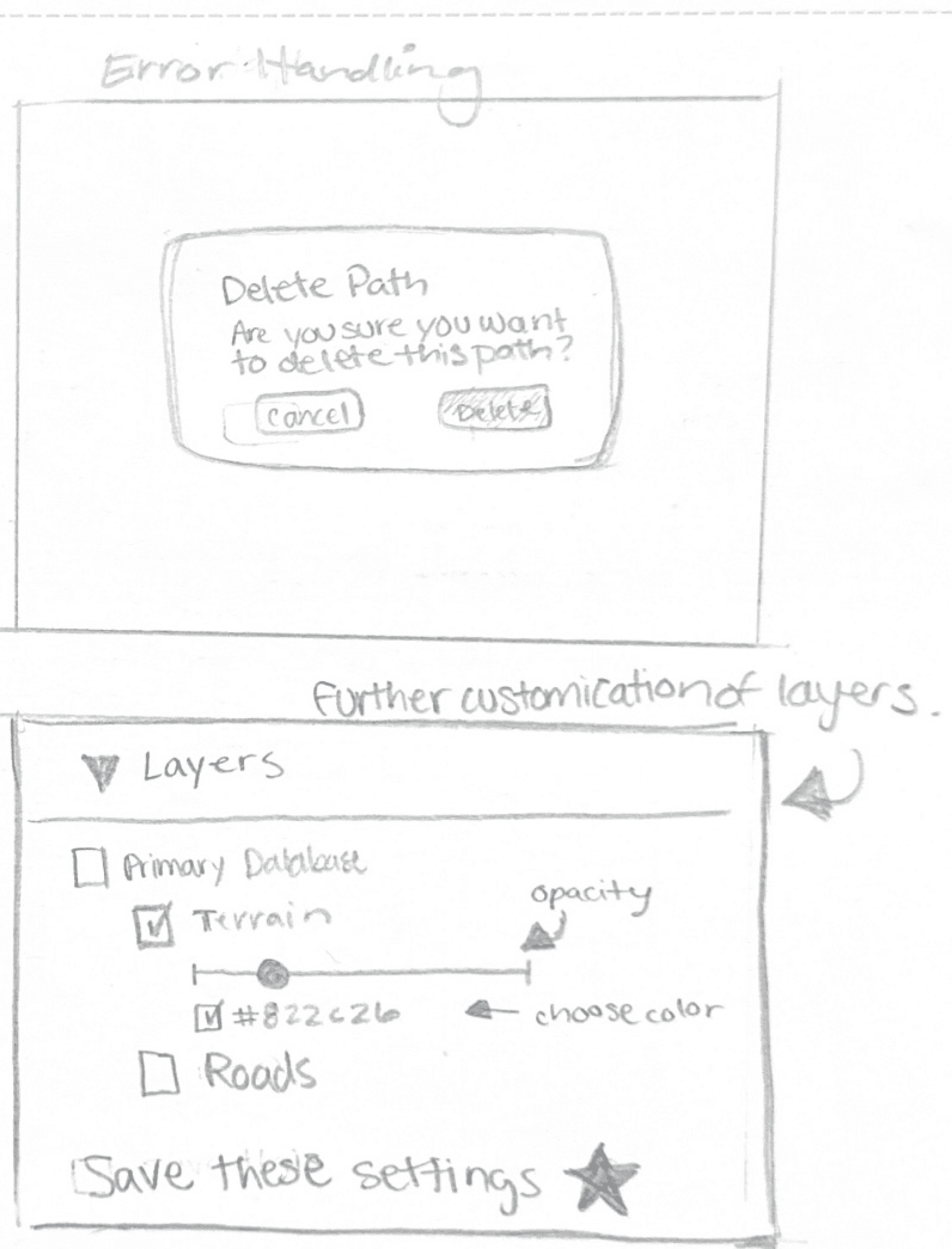
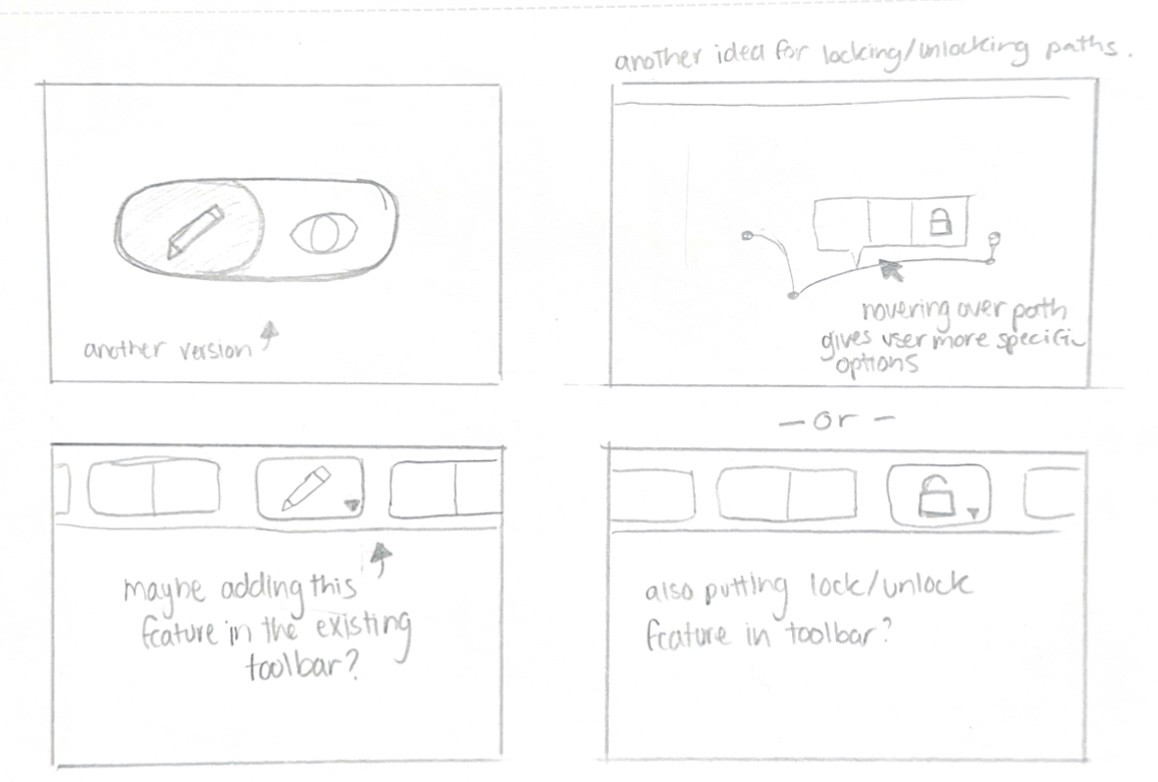
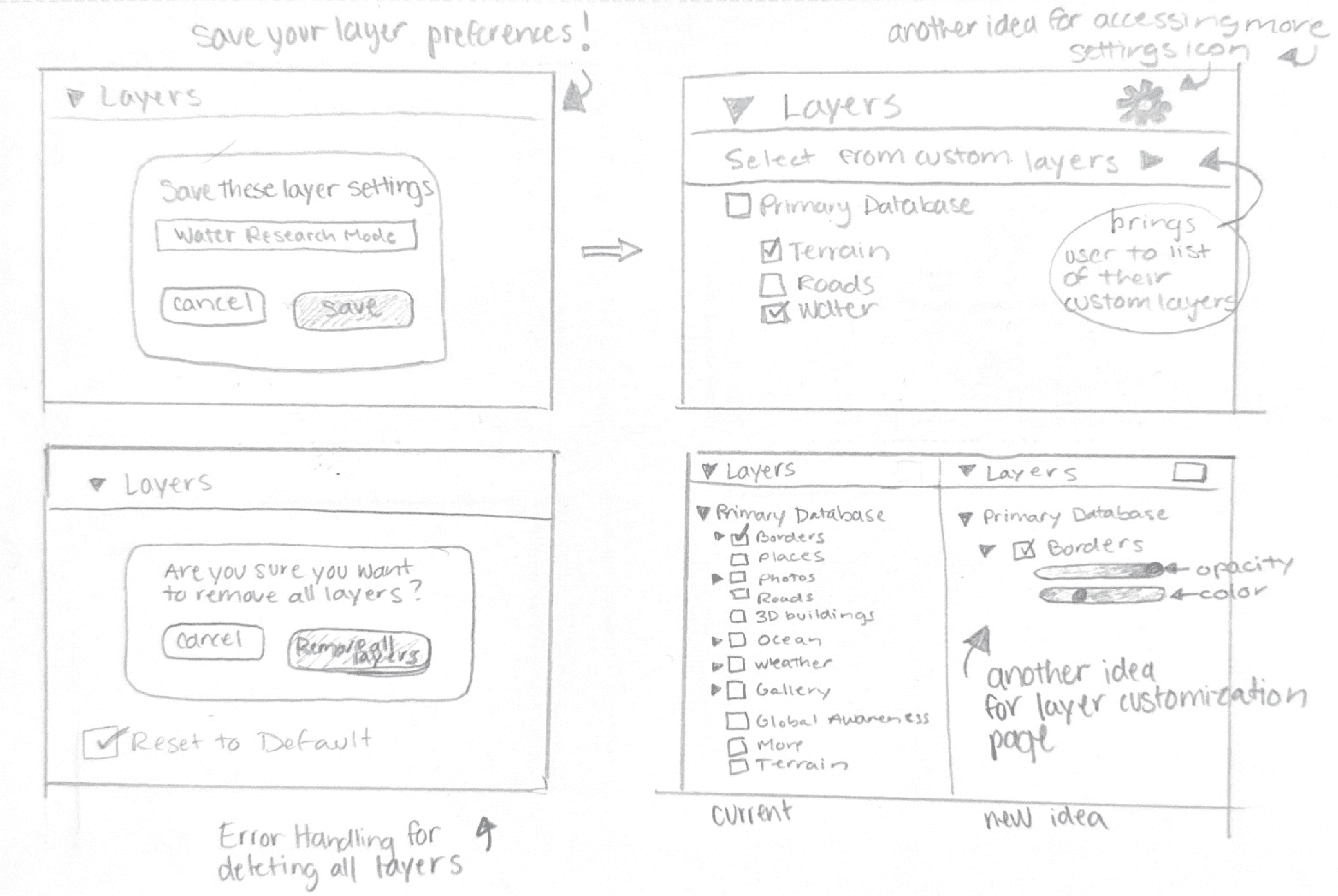
Loren’s Thoughts and Our Next Steps...
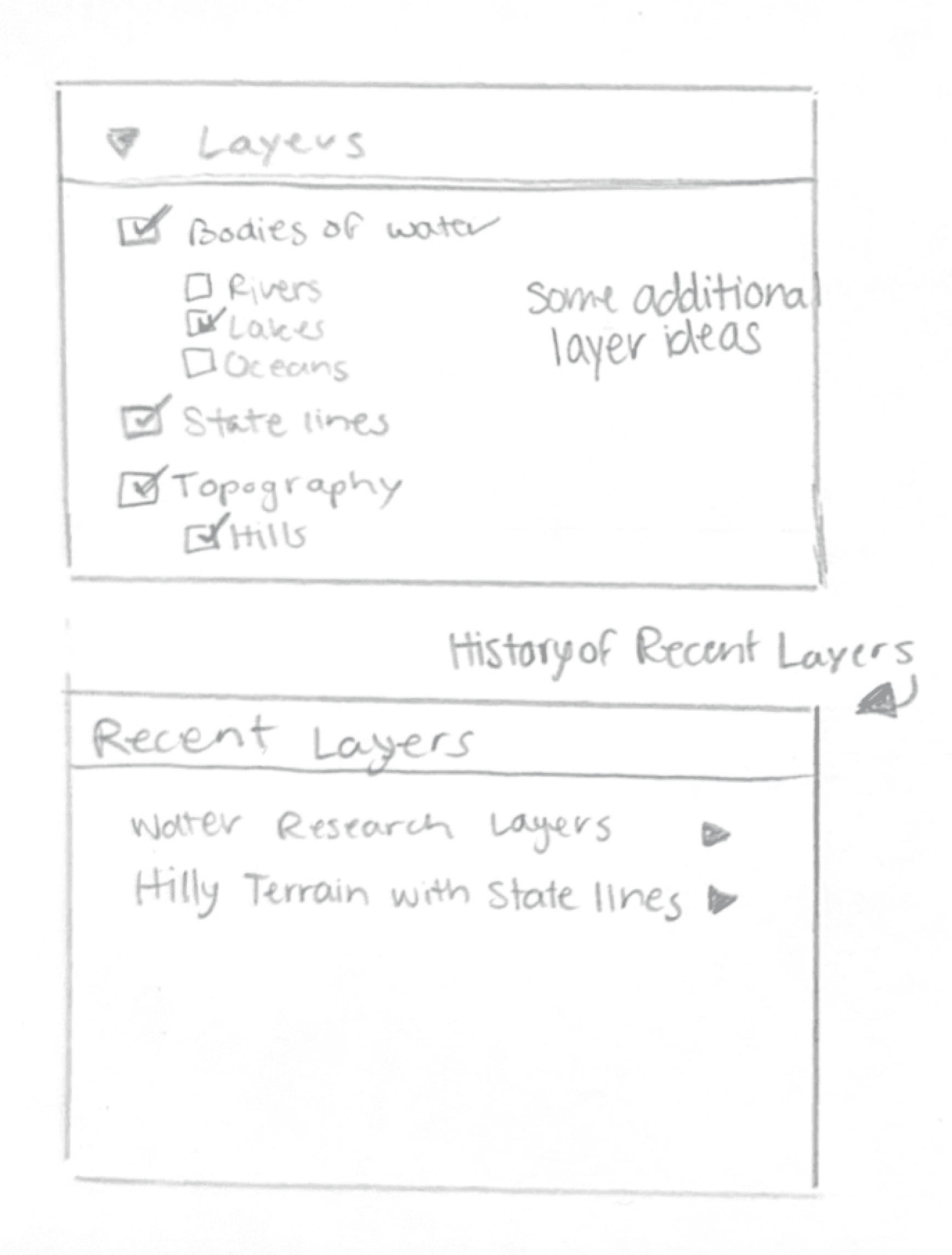
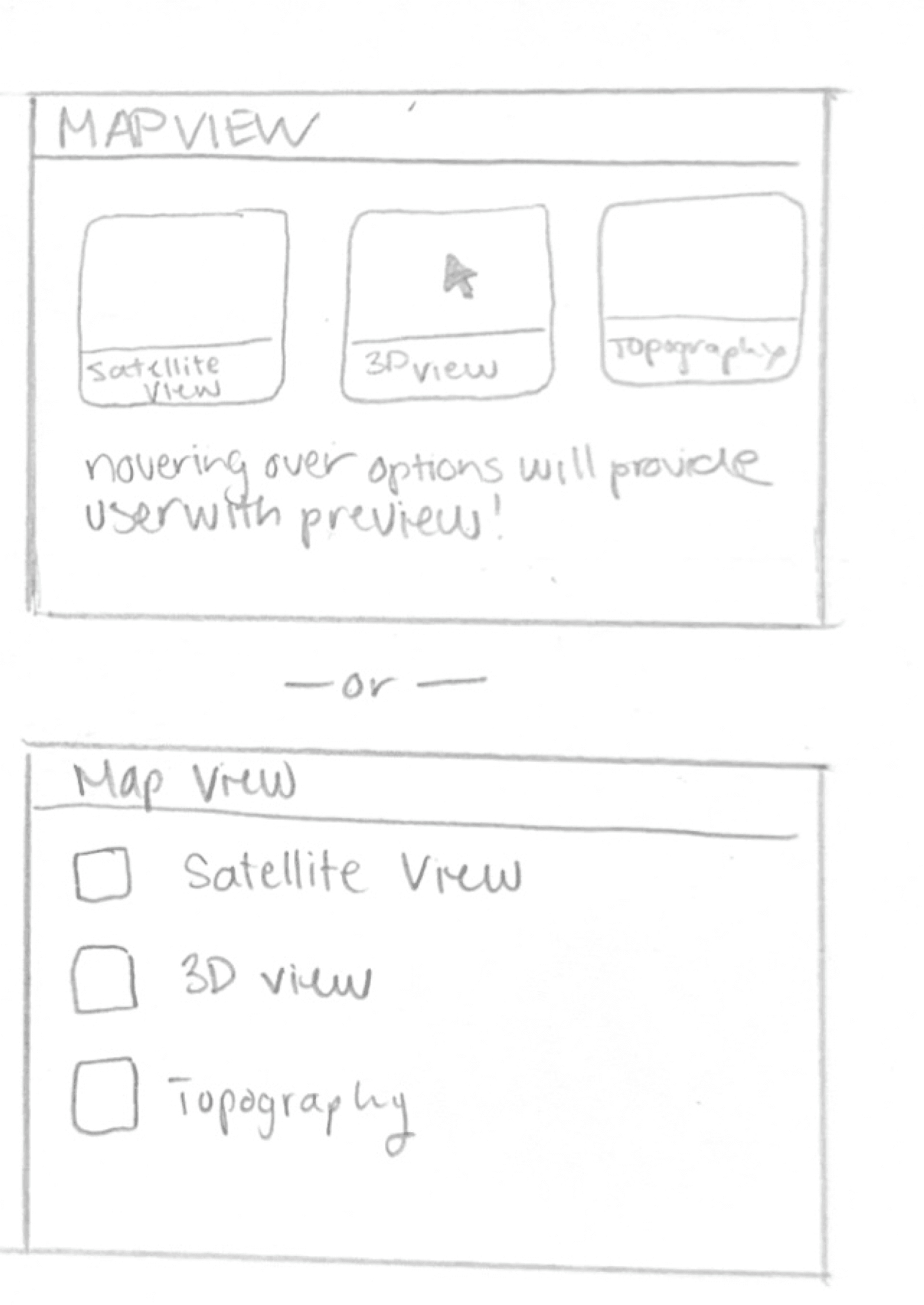
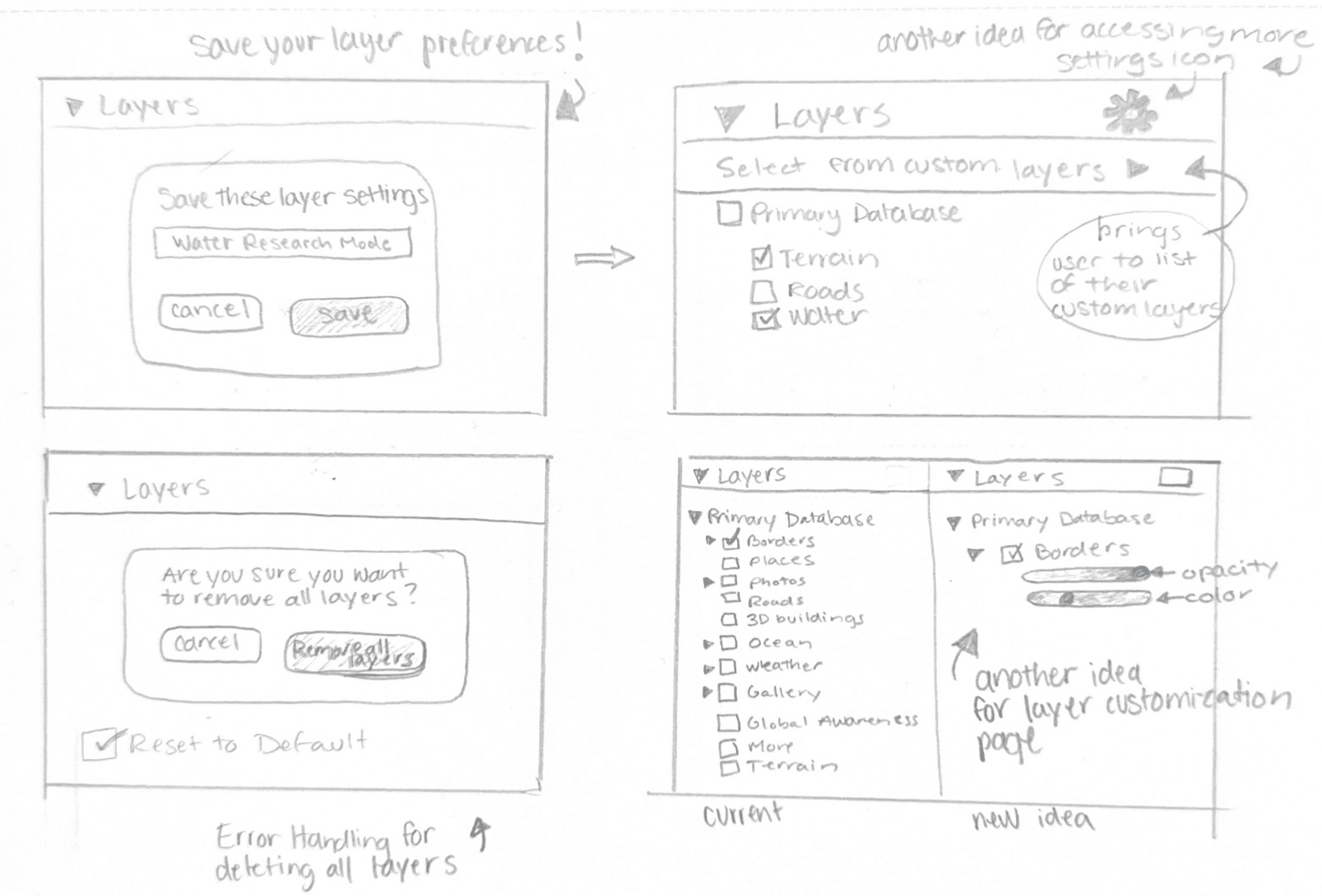
The sketches above illustrate a number of ideas that we thought could improve Loren’s workflow. Our next step was to create wireframes that we could use in user testing.
During user testing, our stakeholder liked the overall layout of our prototypes, particularly the version history feature that displays all previously mapped paths. They also preferred having the version history panel positioned on the right side of the page. Additionally, they favored the third prototype due to the added customization and accessibility of layers for viewing the map.
Our stakeholder also liked the similarity of some of our features to apps such as Google Docs and Excel. We believe that this made our features more intuitive and the overall user flow more streamline.
However, a common issue across all three prototypes was the proximity and alignment of features. Our stakeholder found navigation confusing due to the lack of labels, making it difficult to locate and interact with key tools. We believe our stakeholder appreciated our prototypes because the intended tools were organized for easy access and included customization options to fit their needs. One such design that seemed to have some issues is shown below.
Something that didn’t work....
One of our original ideas included this toolbar when a user right-clicks a path.
Though some usability testing though, our stakeholder Loren and others preferred the alternate version on the right.


“Google Earth is already symbols heavy and I kind of like seeing words more than icons, so I don’t have to guess what the icons are when I’m not familiar with them.”
High Fidelity Screen
Test Our Prototype Here!
Let’s Take a Closer Look at these Features...
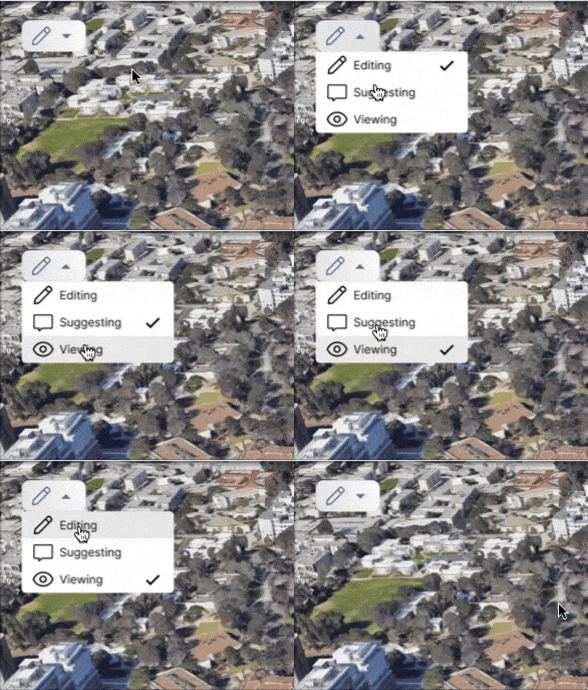

Addressing our stakeholder’s point of accidentally deleting paths, we thought it would be helpful to integrate a feature similar to one that you would see in Google Doc. This feature allows a user to change the mode of their map from edit, suggest, and view.
This way, our researcher can assess terrain and sites, without worry of accidentally deleting or moving a path.
The suggesting and viewing modes would also allow researchers to share their work, without worry of any unnecessary edits.
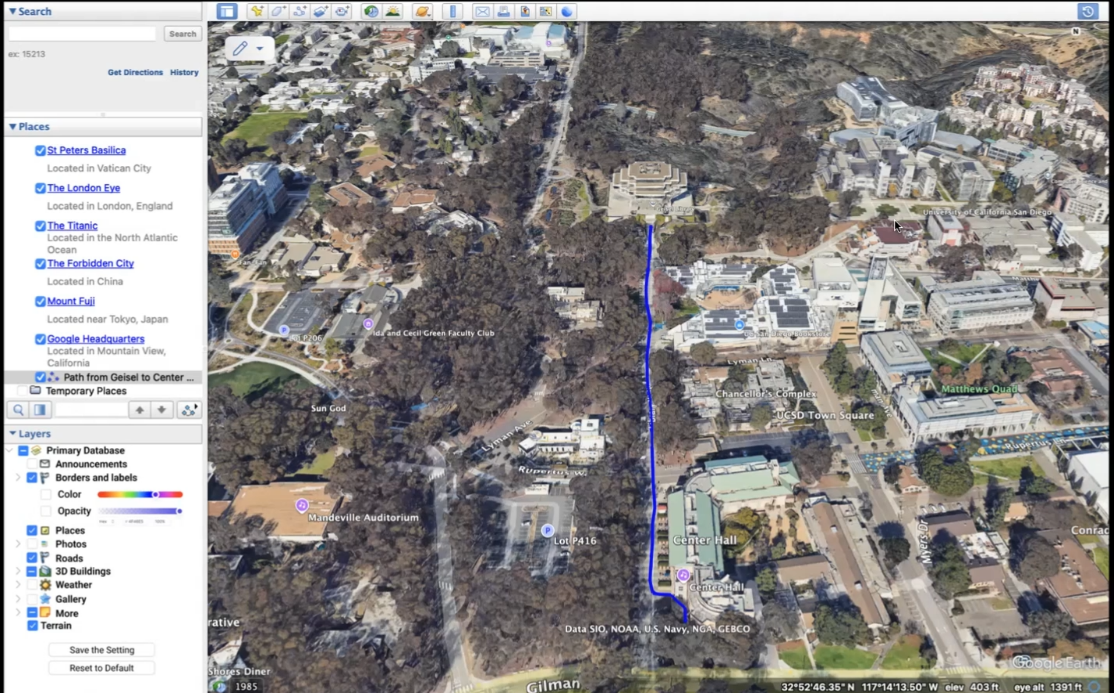
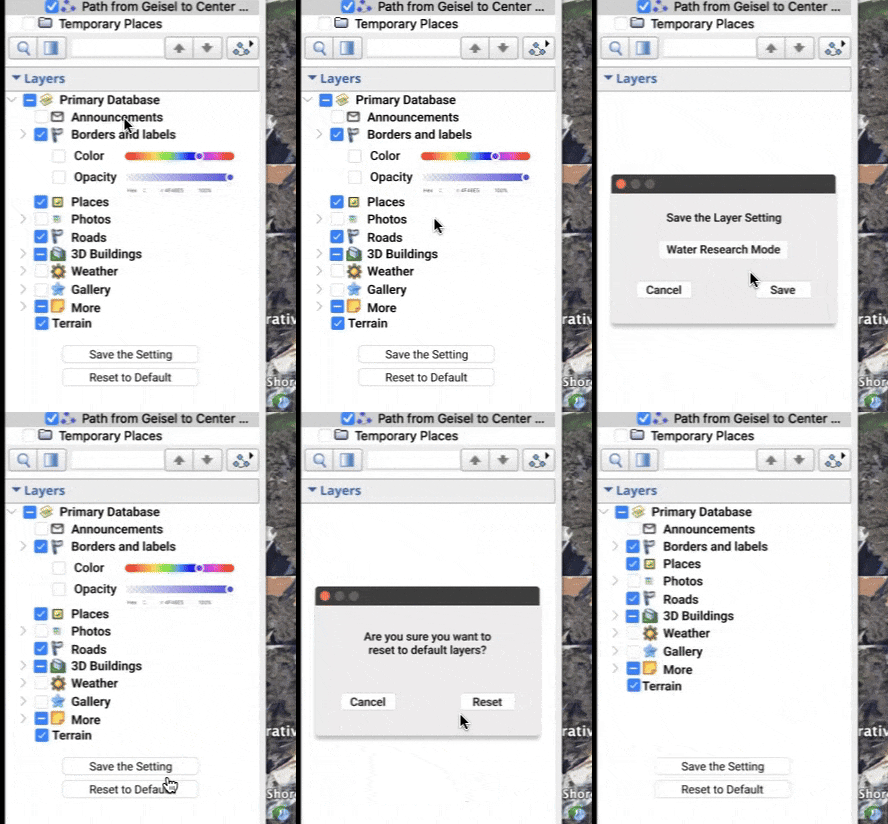
While GEP has this tool for toggling off certain layers, it is not equipped with the full customization options that it could offer.
Here to the right, my team implemented a feature that lets the user further customize these layers, reducing the opacity of borders for example (as our stakeholder had mentioned she wished she could hide the state lines more as they weren’t important to her research).
This feature would also allow the user to save these customized layers and apply them to future projects.
Tackling the concern of accidentally deleting paths, my team thought that it was strange that Google Earth Pro doesn’t provide the user the option review past work.
Shown above is a feature that lets users go back to view the history of their map regarding path edits. Again, this feature is similar to that of Google Docs, making the flow more intuitive for the user.
While Google Earth Pro is equipped with some path editing tools, this can be improved greatly.
Shown to the left is an improved and more efficient path editing toolbar. The “Get Info” was changed to “Edit Path Info” and we added some tools such as “Lock Path from Edits”, “Path History”, “Hide Path Temporarily”, and “Edit Path Points”. This allows the user more freedom and control over editing paths as Google Earth Pro currently does not allow users to lock paths, to see their history and to hide paths temporarily.
These additions would greatly streamline Loren’s process of marking sites.
Key Takeaways
While Google Earth Pro is used by many geology professionals and GIS analysts, it seems that it lacks some features that could take it to the next level.
By making these changes specifically to aid their research, in this case Loren’s, it allowed me see how their process seems to be interfered by GEP’s lack of resources for them.
Future Concepts
While this project was constricted to the the length of a winter quarter, I would like to to make some future edits and tackle some of the other pain points that Loren mentioned in our time together.
Thank you for viewing
Reach out via email: lorena.rez17@gmail.com